





![[Crypto Class 4] This Signature: Is It Safe?](http://store.dcentwallet.com/cdn/shop/articles/4_EN_bb2babe6-99fd-4cc6-818a-7e8a2c3ac7cc.jpg?v=1784594306&width=1100)

Last time we talked about accidents caused by "your own mistakes." Today it's the opposite: "traps others set." The problem is that these traps have grown so sophisticated that being careful alone isn't enough to avoid them.
One Ordinary-Looking Signature, and $1.76 Million Vanished
In March 2026, one user signed an ordinary-looking message. It looked like a common "permit" (approval) request. But that signature was actually permission that said "you may take my tokens." Soon after, about $1.76 million in USDC quietly drained out.
They weren't hacked. They never handed over a password or a seed. They just signed one ordinary-looking message.

A Signature Is Permission
We usually think "signing = sending money." But in crypto, a signature is broader than that. Even without sending assets yourself, there are signatures that grant "someone else may move my assets." These are called approvals (permits).
Used normally, it's a convenient feature — it saves you from confirming every single time you use a dApp. The problem is that attackers target exactly this approval. Once they secure an "unlimited approval," they can empty your wallet whenever they like. In fact, the average time from approval to funds leaving is under 32 seconds.
Malicious Signatures Are Indistinguishable by Eye
Here's the scariest part. A malicious signature looks identical to a normal one. No matter how carefully you read what's on screen, it's hard to tell whether it's a safe approval or one that empties your wallet. It's just a string of cryptic data.
That's why "just be careful" doesn't really work here. Even if you want to be careful, there's no visible information to tell them apart.
What You Need Is a "Pre-Signature Simulation"
There's really only one answer: before you sign, run a preview of what that signature actually does.

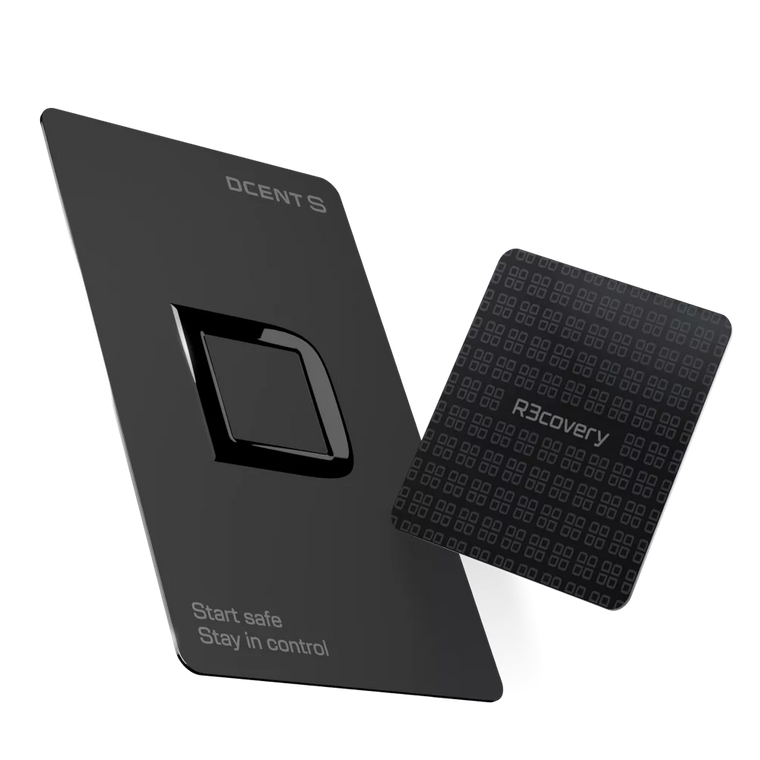
DCENT S uses Blockaid for this. Before you sign, it simulates the transaction, and if the outcome looks dangerous, it warns you ahead of time. It reads what a person can't, on your behalf.
What Blockaid catches
It simulates and warns you, before you sign, about risks like phishing addresses, malicious contracts, wallet-emptying drainers, and honeypots.
Want to see how it works?
🌱 Today's Practice — 3 Habits
Be wary of "unlimited approvals." Even if a dApp asks for one, it's safer to approve only as much as you actually need.
Revoke approvals you no longer use. Periodically cleaning up approvals from dApps you connected before reduces your risk.
Don't sign what unknown airdrops or links ask for. The more something offers for "free," the more it's worth a second, doubtful look.
❓ Quick Quiz
Why can a "signature" be dangerous in crypto?
① Signing doubles the fee ② Even without sending assets, there are signatures that "grant" someone else the right to take your assets ③ A signature can always be reversed
Show answer
② Even without sending assets, there are signatures that "grant" someone the right to take your assets. Approval (permit) signatures are like this. Since malicious signatures can't be told apart by eye, it's important to filter them out with a pre-signature simulation.
Now, Truly Own Your Crypto
Once you've learned how to store it safely, next comes "using" it. We'll cover how to enjoy 100+ networks and ecosystems from a single card.
DCENT S · Card-type cold wallet
Carry it daily, Recover it always
Seedless setup · R3covery backup card included · 100+ networks · 4,900+ assets
Meet DCENT S →Keep it safe. Use it freely.