






How to Put Your XRP to Work Inside the XRP Ecosystem: SOIL XRP Vault Deposit Guide
📖 Before you begin
Left alone, your XRP simply sits idle. The SOIL XRP Vault has emerged as one option for putting that XRP to work inside the XRP ecosystem, without converting it into another asset.
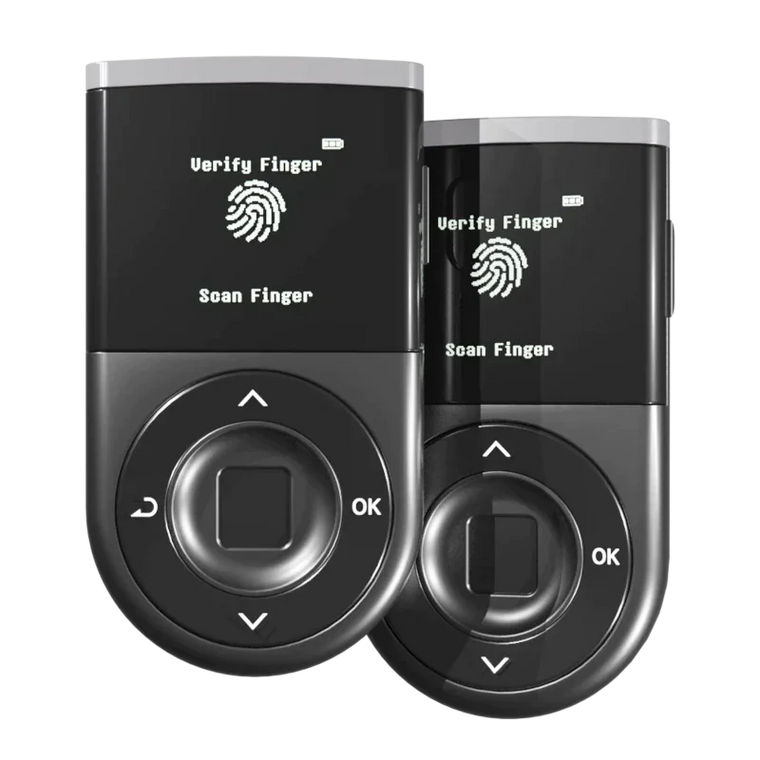
This guide is for anyone trying SOIL XRPL for the first time. It follows the on-screen flow from connecting your D'CENT wallet all the way to completing a deposit, one step at a time. D'CENT is a non-custodial wallet, so every signature and full control of your assets stays with you throughout the process. The interface, available vaults, terms, minimum amounts, notice periods, and more are all set by SOIL, may change at any time, and are not guaranteed by D'CENT. Before you proceed, always confirm the latest information shown on SOIL's own screens and official materials.
It is simply an informational guide explaining how to use the XRP Vault provided by SOIL. D'CENT is not involved in operating, brokering, or selling this product in any way. Digital assets carry various risks, including price volatility, smart contract risk, and operational risk, and you may lose your principal. All investment decisions, and the responsibility for them, rest entirely with you.
🔗 What is the SOIL XRP Vault?
SOIL is an XRPL-based yield protocol that lets you put your XRP to work inside the XRP ecosystem without converting it into another asset.
- Your XRP stays as XRP. Both deposits and returns are handled in XRP terms, so you don't need to swap into another asset to participate.
- Returns come from real-world asset (RWA) based strategies such as U.S. short-term Treasuries, money market funds, and private credit.
- SOIL operates within a licensed, regulated structure across regions including the EU and the U.S., and is designed to give individuals access to institutional-grade products.
📋 What you'll need before starting
| Wallet | D'CENT mobile app (with an XRP account) |
| Assets | The XRP you want to deposit, plus a small reserve for network and fees |
| Verification | An email you can access, a valid ID, and a camera |
🔌 Part 1. Connect your wallet
Step 1
Open SOIL from D'CENT Discovery
Launch the D'CENT mobile app and go to the Discovery tab at the bottom. In the dApp list, find and tap Soil (XRP) to open it. We recommend going through this process in D'CENT's built-in browser.

Step 2
Approve the connection request
When you open SOIL inside the D'CENT app, you don't need to tap Connect Wallet separately. The "Dapp Connect" screen appears automatically so you can connect your wallet right away. Confirm that the requesting address is https://xrpl.soil.co and that the connecting account (e.g. XRP-01) is yours, then tap the green "Connect" button at the bottom.
If this screen doesn't appear automatically, tap Connect Wallet on the SOIL screen and select D'CENT from the wallet list to connect.

🪪 Part 2. Email & identity verification (one time only)
🔐 Why do email and identity verification (KYC) matter?
SOIL is connected to regulated real-world assets such as U.S. Treasuries, money market funds, and private credit. Handling these assets means operating within a licensed, regulated structure, which brings rules like anti-money-laundering (AML) requirements along with it.
So unlike a typical DeFi app that anyone can use anonymously right away, SOIL asks you to verify your identity just once the first time you use it. The email is for transaction confirmations and notifications, and identity verification is the step that keeps these rules met. Once you've verified this one time, you won't have to do it again.
This email and identity verification step appears automatically right after you connect your wallet for the first time. You must complete this verification before you can deposit, and once you've finished it the first time, you'll go straight to the deposit screen from then on, without this step.
Step 3
Verify your email (newsletter sign-up)
Once your wallet is connected, onboarding moves to the "Newsletter sign-up" step. The screen says "Newsletter sign-up," but you can think of it as an email verification step that confirms the email you use is really yours. Enter an email address you can access, review the Terms of Service and Privacy Policy, tick the consent checkbox, and tap "Next step."

Then, in your inbox, tap the link in the confirmation email from SOIL to confirm your subscription. If the email doesn't arrive, check your spam or promotions folder.
Step 4
Choose your verification type
This is the "Identity verification (KYC)" step. For a personal account, select "Individual (KYC)" and tap the "Verify identity" button at the bottom. (For a company or organization account, select Business (KYB).)

Step 5
Start verification
SOIL runs verification through Sumsub. The order is email verification → provide your ID → liveness check. Tap "Start verification," review the privacy notice and consent details, and continue. When Sumsub asks for email verification, enter the one-time code sent to your inbox.

Step 6
Choose issuing country and document type
Select your ID's issuing country (e.g. South Korea) and document type. You can choose from options such as national ID card, passport, foreign resident card, or driver's license.

Step 7
Upload your ID
Photograph the document you selected and upload it. Depending on the document, you may be asked for both the front and back. Follow the on-screen guidance and make sure all the details, such as text and photos, come out clearly.

Step 8
Complete the liveness check
Allow camera access and complete the liveness (face confirmation) check. In bright, even lighting, fit your face within the frame and follow the prompted movements. If anything is covering your face, remove it as prompted.

Step 9
Confirm verification is complete
Once your submitted information is processed, a "Your profile has been verified" message appears and identity verification (KYC) is complete. If any additional information is needed, follow the on-screen guidance.

💰 Part 3. Deposit XRP
Step 10
Enter the amount of XRP to deposit
Once onboarding (wallet connection, email, and identity verification) is done, you return to the XRP Vault screen. Here you decide how much XRP to deposit. You can type the number directly, or use the slider or the "Half" and "Max" buttons to set the amount.

Your deposited XRP is not locked for 40 days. After depositing, you can request a withdrawal at any time, but a waiting (notice) period of about 40 days from the moment you request it must pass before you can actually withdraw (receive) your funds. Returns keep accruing during this waiting period. Please make sure you understand this before you deposit. This condition is SOIL's current standard and may change, so before you proceed, confirm the actual terms shown on the SOIL screen yourself.
Once you've set the amount, read the terms notice, tick the consent checkbox, and then tap the "Confirm and allocate" button at the bottom. Tapping this button is what actually creates the deposit request, and you then move on to the D'CENT signing step.
Step 11
Sign the deposit in D'CENT
The "Dapp Connect" screen appears in D'CENT again, because the deposit (allocation) requires its own separate approval and signature. Confirm once more that the requesting address is https://xrpl.soil.co and that the account is yours (e.g. XRP-01), tap "Connect," then on the signing screen review the transaction details, such as amount and recipient, and complete the signature and verification.

Step 12
Confirm the deposit is complete
Once the blockchain confirmation finishes, an "Allocation complete" screen appears. The allocation summary lays out the results of this deposit, item by item.

Here's what each item on the screen means.
| Principal | The amount of XRP newly added by this deposit. (e.g. "+9 XRP added") |
| New principal | Your total deposited principal, including this deposit. |
| APR | Shows the annual rate applied to this vault and whether it is fixed or variable. Confirm the actual figure based on what's shown on the SOIL screen. |
| Status (CONFIRMED) | Means the transaction was properly finalized on the blockchain. When this appears, your deposit is complete. |
| Notice | The waiting period that applies when you request a withdrawal. It's the period described earlier, and it starts from the moment you request the withdrawal. |
| Cooldown | The final processing time after the notice period ends and before funds are actually paid out. At the time of deposit it shows as 0. |
| Bonus · SEED | An item related to earning SOIL's SEED points. If applicable, any accrual is shown here. |
| Transaction hash | The unique on-chain ID for this transaction. You can check it directly on an explorer via the "view transaction" link. |
🔍 How do I check my assets and returns?
After completing a deposit, the SOIL dashboard lets you check your wallet balance, deposit status, returns, and even your withdrawal request status, all in one place.
Open the dashboard
Open the menu at the top right of the SOIL screen and tap the green "Dashboard" button marked in the image below.

① Check your wallet balance
At the top of the dashboard, you can see your wallet address and your current XRP and RLUSD balances. Also check that wallet, email, and identity verification (KYC) all show as complete.

② Check your returns and portfolio
Under "Portfolio summary," you can see your total allocated amount and returns so far. The "My investments" tab shows the total invested amount and cumulative returns for the XRP vault.

③ Check your withdrawal status
Scroll down and you'll find your withdrawal status laid out in order: pending withdrawals → ready to claim → paid out. This is where you can track which stage your current withdrawal request is at.

❓ Frequently asked questions
Vault & returns
Q. What is the SOIL XRP Vault?
A. It's a product for holders who want to put their XRP to work inside the XRP ecosystem without converting it into another asset. Deposits and returns are handled in XRP terms, so you don't need to convert your XRP into another asset to participate. That said, XRP's market price can still keep fluctuating.
Q. How are returns generated?
A. According to materials published by SOIL, returns are spread across multiple sources: real-world assets and institutional-grade strategies such as U.S. short-term Treasuries, money market funds, and private credit, as well as DeFi and AMM activity on the XRP Ledger and verified institutional XRP lending (collateral-backed where collateral exists). SOIL's operations team manages these strategies and risks.
That said, this does not mean returns are generated or guaranteed. Operating results depend on market conditions, and you may lose your principal. Please confirm the specific strategies, terms, and risks in SOIL's official materials. D'CENT is not involved in operating this product and bears no responsibility whatsoever for any returns or losses that arise.
Q. Who pays the interest (returns)?
A. Loan interest is paid by Soil Ltd. Soil Ltd. may use its own funds generated from underlying investments such as money market funds, Treasuries, and private credit. Vault users do not own or control Soil Ltd.'s underlying assets or investment decisions. D'CENT is not involved in this payment structure.
Q. Are returns paid in XRP too?
A. Yes. Your vault balance and returns are all handled in XRP terms, so you don't need to swap XRP into another asset to participate. Just keep in mind that XRP's market price itself can keep fluctuating.
Q. When do returns start accruing?
A. Returns aren't recorded from the very first day of your deposit. They're recorded for the first time only after one interest cycle passes. Per SOIL's materials, returns are calculated once a day (at 19:00 CET/CEST, Central European Time), and whether you deposited before or after this time shifts when your first return is recorded by about a day. Confirm the exact timing in SOIL's official materials.
Q. Is this vault risk-free?
A. No. There is no completely risk-free investment or lending product. Vault strategies can carry various risks, including counterparty, liquidity, protocol, market, and operational risk. Before depositing, be sure to confirm SOIL's current terms and risk disclosures. D'CENT is not responsible for these risks or for operating results.
Deposits · withdrawals · timing
Q. What is the notice period?
A. Simply put, it's the period where you give advance notice ("I'll be pulling this money out soon") and wait. Withdrawals don't come out the moment you request them. They move to the next stage only after this notice period passes. The notice period is 40days from your deposit.
Q. What is the cooldown?
A. Think of it as the "final settlement time" right before the money actually comes out, after the notice period ends. For a vault with a notice period, the cooldown starts after that period ends; for a vault without a notice period, it starts right after you request a withdrawal.
Unlike the notice period, returns stop accruing during the cooldown. Cooldown length varies by vault, so check the actual value on the SOIL screen.
Request withdrawal → notice period (waiting; returns still accrue ✅) → cooldown (settlement just before payout; returns stop ⏸️) → receive
Q. Can I receive my withdrawal right after requesting it?
A. No. A withdrawal in the "Pending" state only means the request has been received, not that it has been paid out. It becomes claimable only after all applicable notice and cooldown periods have passed. Don't resubmit the same withdrawal while the original request is still processing.
Q. Where can I check my withdrawal progress?
A. You can check it in the withdrawals section of the SOIL dashboard. It's laid out in order: pending withdrawals (the request is waiting through the notice and cooldown periods) → ready to claim (the waiting period has ended) → paid out (the payout has been processed). Don't submit the same withdrawal again while the original request is pending.
Fees · account · security
Q. Do I need a separate gas token?
A. You don't need to prepare a separate gas token. The related fees are deducted from the XRP you hold. These fees come from the SOIL and network side, and the exact amount is shown on the SOIL screen during the process, so you can confirm it yourself before signing.
Q. My identity verification (KYC) failed. Can I try again?
A. Yes, you can try again from the verification screen. Common causes of failure include a blurry, damaged, or expired ID; a selfie that doesn't match the document photo well; personal details that don't exactly match the ID; poor lighting; and choosing the wrong account type (e.g. Business instead of Individual). Use a valid, unexpired ID and bright lighting, and enter your name and date of birth exactly as they appear on your ID. If it keeps failing, contact SOIL support with the error message shown on the screen.
Q. Is my XRP safe?
A. Control of your assets always stays with you. Every deposit and withdrawal proceeds only after you sign it directly in your D'CENT wallet, and thanks to this structure, SOIL never asks for your recovery phrase or private key. That said, digital assets and related products carry risks such as market, liquidity, smart contract, and operational risk, so before participating, confirm SOIL's terms and risk disclosures yourself.
⚠️ Important notes (please read)
- This guide is not an investment recommendation or a guarantee of returns. It is simply an informational guide explaining how to use the product provided by SOIL.
- D'CENT does not participate in custody, operation, or brokerage of assets in any way, and your assets always remain under your own control.
- The SOIL XRP Vault is used in a non-custodial manner, and you must confirm the related risks yourself through SOIL's official materials.
- Digital assets carry various risks, including price volatility, smart contract risk, and operational risk, and you may lose your principal.
- All investment decisions, and the responsibility for them, rest entirely with you. Please refer to SOIL's official materials for detailed product information, terms, and risks.