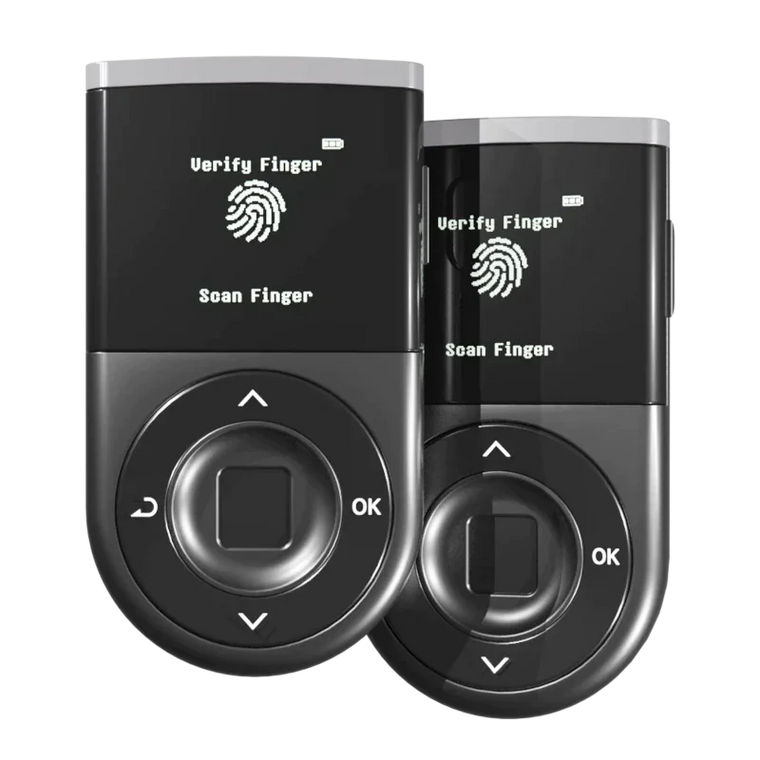







Hello D’CENT Fam! 👋
We are extremely excited to introduce our new built-in SWAP function, a major breakthrough in user convenience feature which allows swapping of ERC20 tokens directly within the D’CENT Wallet.
SWAP function is an integration of the third-party service operated by our partner 1inch, a leading decentralized exchange (DEX) aggregator and automated market maker (AMM) that offers the best swap rates to save time and money for the users.
How 1inch finds the best swap rate
The 1inch aggregation protocol is powered by the “Pathfinder” algorithm which searches a vast number of liquidity sources on Ethereum, BNB Chain, Polygon, Optimism, Arbitrum, Gnosis, Avalanche, and Fantom to deliver the best available rate for the swap operations. Today, the 1inch DEX aggregator has exceeded 220 billion dollars in total volume and the platform has been established as the most integral service in the whole DeFi ecosystem.
The 1inch Network supports thousands of ERC20 tokens, including all of the major tokens and even the minor ones too. We’ve chosen to partner with only the best in the world and the 1inch swap integration is sure to offer one of a kind experience for everyone to enjoy fast, simple, and a secure method of swapping ERC20 tokens.
The built-in SWAP function
✅ The built-in SWAP function is only available from D’CENT App version 5.16.0 or higher.
D’CENT App provides the customized UI to access 1inch swap service, which is aimed to provide streamlined service flow and offer transparency of the transaction details throughout the whole swap process. The button for the Swap function is located on the main screen of the D’CENT Wallet and is also accessible from the Discovery (DApp browser) tab.
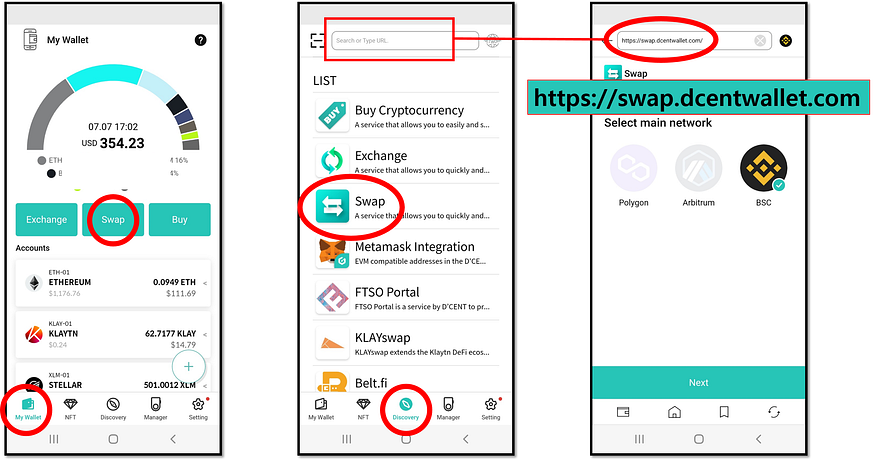
Initially at launch, D’CENT Wallet will support token swap on the Polygon, Arbitrum, and BNB Chain. Other networks supported by 1inch will be added in the future updates.
For fully detailed instructions on how to use the SWAP function, please refer to the D’CENT User Guide below.