



Key Answer: A hardware wallet significantly reduces the risk of key theft, but if you sign a malicious transaction—especially through approval-based phishing—losses can still occur. Managing your assets safely requires active habits: audit token approvals monthly, verify every transaction on your device screen before signing, update firmware regularly, and keep your Recovery Phrase stored offline in a secure location.
Executive Summary
- Active Management: Hardware wallets need ongoing security habits after initial setup—2-month users face different risks than beginners.
- Asset-Specific Strategies: XRP (reserve management), HBAR (staking opportunities), and XDC (address formats) each require unique handling approaches.
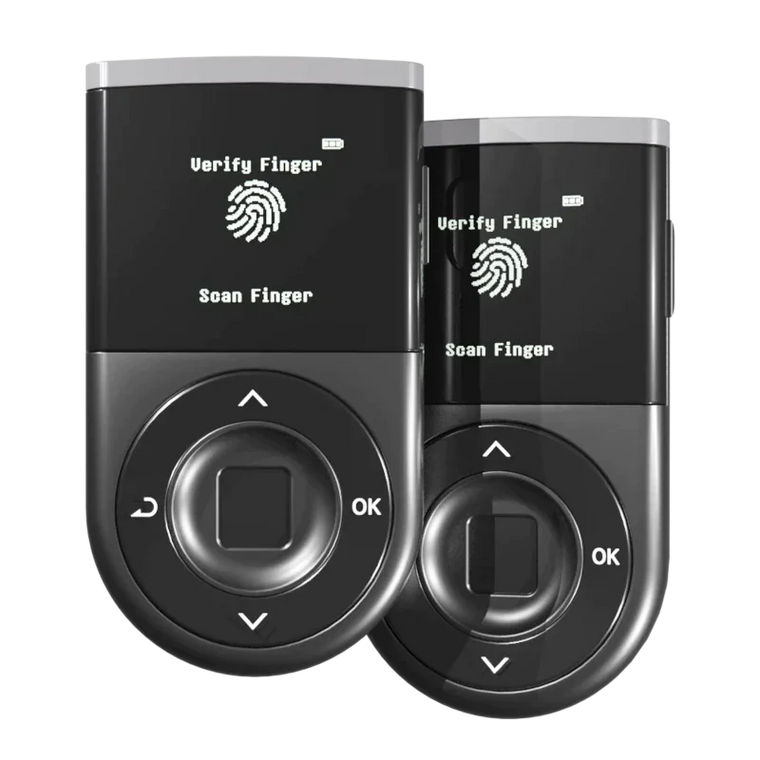
- Real-time Protection: D'CENT's Blockaid scam detection and biometric fingerprint authentication reduce risk, but user verification is always the final safeguard.
- Token Approval Audits: Monthly approval checks and DApp connection hygiene prevent unauthorized token drains from malicious platforms.
- Regular Maintenance: Firmware updates, Recovery Phrase security verification, and monthly checklists help you stay ahead of evolving threats.
Why the Post-Setup Phase Matters More Than You Think?

Most hardware wallet guides focus on initial setup—creating your wallet, backing up the Recovery Phrase (also called recovery words or seed phrase), and transferring your first assets. But according to Chainalysis, approval-based phishing has become one of the fastest-growing scam categories in crypto, with estimated losses reaching hundreds of millions of dollars. Intermediate users (1-6 months experience) are among the primary targets.
Why? Because you've passed the "total beginner" stage where you're hyper-cautious about every click. You're now comfortable enough to explore DApps, connect to new platforms, and sign transactions—but you haven't yet built the security habits that advanced users develop over time. This gap is where losses happen. Hardware wallets protect your private keys from remote theft, but they can't stop you from signing a malicious approval transaction if you don't verify what you're signing.
What Makes XRP, HBAR, and XDC Different?

Not all crypto assets behave the same way. Understanding the specific characteristics of XRP, HBAR, and XDC helps you manage them more safely and effectively.
XRP: Understanding Reserves and Transaction Nuances
XRP uses a unique account model that requires a base reserve to keep your account active. As of December 2024, the XRP Ledger reduced this reserve from 10 XRP to 1 XRP through a validator consensus vote. This isn't a fee—it's locked in your account as long as it exists. When you send XRP, you must leave at least 1 XRP in your wallet, or the transaction will fail.
Key management tips for XRP:
- Never try to send your entire XRP balance; always keep the 1 XRP base reserve
- XRP transactions settle in 3-5 seconds, so double-check the destination address before signing
- XRP has no native staking—beware of scam sites claiming "official XRP staking"
- If you see yield opportunities, verify they're from legitimate DeFi protocols or exchanges, not your hardware wallet itself
HBAR: Staking Opportunities and Hedera Ecosystem
HBAR (Hedera Hashgraph) supports native staking through Hedera's proof-of-stake consensus. Unlike XRP, you can stake HBAR to earn rewards while keeping your keys on your hardware wallet. You can stake without exposing your private keys. The D'CENT app allows you to sign staking transactions with fingerprint authentication, keeping your keys offline.
Key management tips for HBAR:
- Use staking-compatible wallets or platforms that support hardware wallet signing
- Your staked HBAR remains under your control—legitimate staking never asks you to send HBAR to another address
- Hedera's ecosystem includes enterprise DApps; when connecting your D'CENT wallet, verify the URL and check for HTTPS
- Unstaking periods vary; check the specific platform's terms before committing
XDC: Network-Specific Storage and Transaction Safety
XDC Network (formerly XinFin) uses a hybrid blockchain architecture. XDC addresses start with "xdc" instead of "0x" (though some wallets auto-convert). XDC cold storage on a hardware wallet is one of the safest options due to lower DApp interaction risk.
Key management tips for XDC:
- Verify that your wallet correctly displays XDC addresses (starting with "xdc")
- XDC's main use case is trade finance and enterprise applications; retail DApp connections are rare
- When sending XDC, confirm the recipient accepts "xdc" formatted addresses (some exchanges require "0x" format)
How to Manage Your Assets in D'CENT
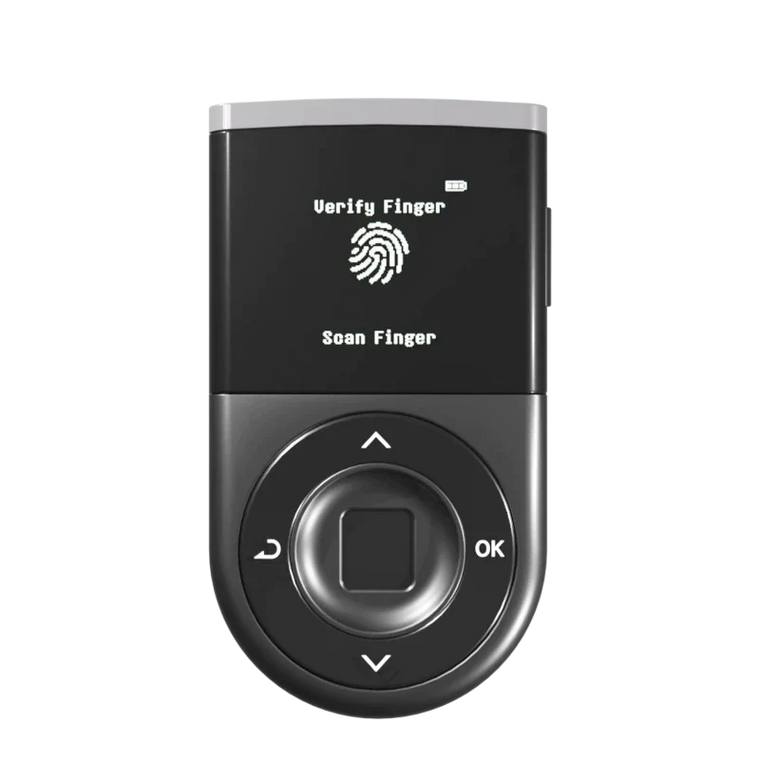
D'CENT Biometric Wallet supports 4,600+ assets across 86+ networks, including XRP, HBAR, and XDC. Here's how to use its features for day-to-day management.

Token Approval Checks: Your First Line of Defense
What are token approvals? When you interact with a DApp (decentralized app), you often grant it permission to spend your tokens on your behalf. This is called an "approval" or "allowance." Malicious DApps can request unlimited approval. Once granted, they can drain your tokens without asking again.
How to check approvals in D'CENT:
- Open the D'CENT mobile app
- Go to "DApp Browser" → "Tools" → "Token Approvals"
- Review all active approvals for each network (Ethereum, BNB Chain, etc.)
- Revoke any approvals for DApps you no longer use or don't recognize
Best practice: Audit your approvals monthly. If you see approvals with "Unlimited" or very high amounts, revoke them unless you're actively using that DApp. This does not block all attacks, so final verification by the user is still required. Always check what you're signing on the device screen.
Safe DApp Connection Tips
Hardware wallets protect your private keys, but connecting to a malicious DApp can still lead to losses if you sign malicious transactions.

Safe connection checklist:
- Verify the URL: Phishing sites use similar domains (e.g., "unisvvap.com" instead of "uniswap.com")
- Use HTTPS only: Never connect to DApps over HTTP
- Check the contract address: Before approving, verify the token contract address matches the official one
- Read the transaction details on your D'CENT screen: The device shows what you're signing—never approve blindly
- Start with small amounts: When using a new DApp, test with a small transaction first
D'CENT advantage: BLE 4.1 Bluetooth connection keeps your private keys on the device. The mobile app only sends transaction data for signing—your keys never leave the hardware wallet.
Blockaid Scam Detection: How It Works

D'CENT integrates Blockaid, a real-time scam detection service that scans transactions before you sign.
What Blockaid checks:
- Known phishing contract addresses
- Malicious token approval patterns
- Unusual on-chain activity (e.g., drainer contracts)
- Suspicious recipient addresses
How to use it: When you initiate a transaction in the D'CENT app, Blockaid automatically scans it. If a risk is detected, you'll see a warning screen with details. Read the warning carefully—it explains what type of threat was detected. If you see a red warning, stop and verify the transaction independently before proceeding. This does not block all attacks, so final verification by the user is still required. Blockaid reduces risk by flagging known threats, but new scams emerge constantly—your judgment is the final safeguard.
Firmware Update Habits
Firmware updates patch security vulnerabilities and add new features. Delaying updates leaves you exposed to known exploits.
How to update D'CENT firmware:
- Open the D'CENT app and check for updates in Settings → "Device Management"
- If an update is available, follow the on-screen instructions
- Your Recovery Phrase is not required for firmware updates
- The update process takes 3-5 minutes; keep your device connected
Update frequency: Check monthly. D'CENT typically releases updates quarterly, but critical security patches can arrive anytime. Hardware wallet vulnerabilities are rare but serious. In recent years, security researchers have demonstrated attacks like Dark Skippy (malicious firmware extracting seed phrases from signed transactions) and physical glitching attacks on certain devices. Keeping your firmware up to date helps protect against known vulnerabilities as manufacturers release patches.
Critical Mistakes to Avoid as a 2-Month User
1. Ignoring Token Approvals After DApp Use
You connect to a DeFi platform, make a swap, and never revoke the approval. Months later, if that platform is compromised, your tokens are at risk. The fix: After using a DApp, revoke its approval unless you plan to use it again soon.
2. Not Verifying Transaction Details on the Device Screen
You trust the app or website interface and approve transactions without checking your D'CENT screen. The fix: Always read the transaction details on your hardware wallet screen before confirming with your fingerprint. The device shows the recipient address, amount, and network—this is your last chance to catch errors or scams.
3. Skipping Firmware Updates
You think "if it's working, don't fix it" and ignore update notifications. The fix: Treat firmware updates like phone security patches. Update as soon as a new version is available.
4. Storing Recovery Phrase Digitally
You take a photo of your Recovery Phrase or save it in a cloud note "just in case." The fix: Recovery Phrase must be stored offline only. Write it on paper, store it in a fireproof/waterproof safe, and never digitize it. If your cloud account is hacked, your Recovery Phrase—and all your crypto—is compromised.
5. Assuming Hardware Wallet = 100% Safe
You believe a hardware wallet makes you immune to all attacks, so you lower your guard. The fix: Hardware wallets reduce key theft risk, but they cannot prevent you from signing malicious transactions. Stay vigilant, verify every signature, and treat your device as a tool—not a magic shield.
Monthly Security Checklist

Use this checklist to maintain strong security habits. Mark off each item as you complete it:
- ☐ Check for firmware updates and apply them immediately
- ☐ Audit token approvals on all networks you use (Ethereum, BNB Chain, etc.) and revoke unnecessary approvals
- ☐ Verify Recovery Phrase storage is intact, dry, and secure (no water damage, fading, or unauthorized access)
- ☐ Review connected DApps and websites in your browser history and disconnect from any you no longer use
- ☐ Test a small transaction to confirm your wallet is functioning correctly
- ☐ Inspect device for tampering (any physical damage, loose parts, or unexpected behavior)
- ☐ Check for phishing emails or fake apps that impersonate D'CENT or your asset networks
- ☐ Review your emergency recovery plan: Does a trusted person know how to access your funds if you're incapacitated?
- ☐ Verify fingerprint data is working correctly on your Biometric Wallet (re-register if needed)
- ☐ Monitor transaction history for any unauthorized activity
Frequently Asked Questions
Q: Can I stake HBAR directly from my D'CENT wallet without moving it to an exchange?
A: Yes, you can stake HBAR using platforms that support hardware wallet signing. Your HBAR stays under your control on your D'CENT wallet—you sign staking transactions with your fingerprint, but your keys never leave the device. Verify that the staking platform is legitimate before connecting.
Q: Why does my XRP wallet always show 1 XRP unavailable?
A: XRP requires a base reserve (currently 1 XRP, reduced from 10 XRP in December 2024) to keep your account active on the XRP Ledger. This is not a fee—it's a network requirement. If you close your account, you can recover this reserve, but as long as you use the wallet, the 1 XRP must remain.
Q: How do I know if a DApp is safe to connect to my D'CENT wallet?
A: Check the URL carefully (look for typos or suspicious domains), verify the DApp is HTTPS, read community reviews, and start with a small test transaction. D'CENT's Blockaid scans for known threats, but new scams appear constantly—your verification is essential. This does not block all attacks, so final verification by the user is still required.
Q: What should I do if I see a Blockaid warning?
A: Stop immediately. Read the warning details to understand what threat was detected. Do not proceed unless you're absolutely certain the transaction is legitimate and you independently verified the recipient address and contract. When in doubt, cancel and research further.
Q: How often should I update my D'CENT firmware?
A: Check for updates monthly. Install security updates immediately when they're released. Firmware updates fix vulnerabilities and improve device performance—delaying them increases your risk.
Q: Is it safe to take a photo of my Recovery Phrase if I store it in an encrypted folder?
A: No. Digital storage of your Recovery Phrase—even encrypted—creates risk. Cloud services can be hacked, phones can be stolen, and encryption can be broken. Write your Recovery Phrase on paper and store it in a fireproof/waterproof safe.
Q: Can I use XDC on Ethereum DApps if I format the address as "0x" instead of "xdc"?
A: XDC and Ethereum addresses use the same format under the hood, but XDC Network is a separate blockchain. You cannot use XDC tokens on Ethereum DApps. Some wallets and exchanges accept both "xdc" and "0x" formats for XDC addresses, but verify compatibility before sending.
Q: Does biometric authentication on D'CENT mean my fingerprint is stored in the cloud?
A: No. Your fingerprint data is stored only on the D'CENT device's EAL5+ Secure Element chip, not in the cloud or the mobile app. The device uses your fingerprint to unlock and confirm transactions locally—biometric data never leaves the hardware.