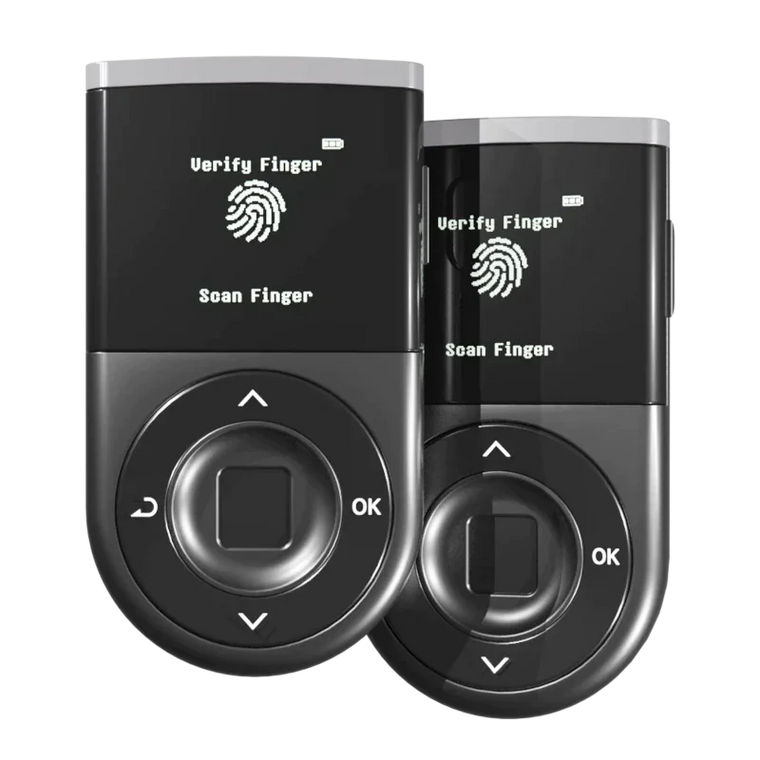




Key Answer: Token approvals grant smart contracts permission to move your tokens, but unlimited approvals create a permanent vulnerability. Over $200 million was lost to approval-based attacks in 2024-2025. Regular audits using tools like Revoke.cash, combined with D'CENT's Blockaid real-time protection, help you revoke risky permissions before attackers strike. Always verify approval amounts on your hardware wallet screen before signing.
Executive Summary
- Approval Risk: Token approvals let dApps spend tokens on your behalf, but unlimited approvals remain active indefinitely, even after you stop using a service.
- Attack Scale: Approval-based phishing and exploits caused over $200 million in losses in 2024-2025, often through dormant permissions users forgot existed.
- Audit Tools: Revoke.cash and Etherscan Token Approval Checker let you review and revoke dangerous permissions across 100+ networks.
- Real-time Protection: D'CENT's Blockaid integration detects malicious approval requests before you sign, providing active defense across 50+ chains.
- User Responsibility: Hardware wallets protect your keys, but you must verify approval amounts and contract addresses on the device screen — technology cannot replace human judgment.
How to Revoke Token Approvals and Protect Your Crypto Wallet from Approval-Based Attacks
What are token approvals and why should you care?

When you interact with decentralized applications (dApps) like Uniswap, OpenSea, or Aave, you're not directly sending tokens from your wallet. Instead, you grant the dApp's smart contract permission to move tokens on your behalf. This permission is called a token approval.
Think of it like giving a valet the keys to your car. You hand over temporary access so they can park it — but what if you forgot to take the keys back, and the valet kept them for months? That's essentially what happens with crypto approvals: you grant access, complete your transaction, and move on — but the permission often stays active indefinitely.
Why this matters: The real-world cost
According to Chainalysis 2024 Crypto Crime Report, approval-based phishing and scams accounted for over $200 million in losses in 2024 alone. Unlike traditional hacking, these attacks don't require stealing your recovery phrase. They exploit permissions you've already granted — sometimes months or years ago.
Here's the danger: if a dApp gets hacked, or if you accidentally approved a malicious contract disguised as a legitimate service, attackers can drain your tokens without ever touching your private keys. You won't receive a new transaction to approve — the damage happens silently, using permissions you've already signed.
The "unlimited approval" trap
Many dApps request unlimited approvals by default. Instead of asking permission to move 100 USDT for one swap, they ask for permission to move unlimited USDT forever. Why? It's convenient for users (you only approve once) and cheaper for the protocol (fewer transactions).
But convenience comes at a cost. An unlimited approval is like giving someone a blank check to your entire token balance — and trusting they'll never misuse it. Even if the dApp is legitimate today, what happens if:
- The smart contract gets exploited by hackers?
- The team abandons the project and the contract becomes a vulnerability?
- You accidentally approved a phishing site that looked identical to the real one?
This is why Ethereum security best practices recommend limiting approvals to the exact amount needed, and revoking permissions after use.
How do approval-based attacks work?

Approval-based attacks exploit the permission model at the core of Ethereum and EVM-compatible blockchains. Here are the three most common attack vectors:
1. Unlimited approval exploitation
The setup: You connect to what appears to be a legitimate dApp — maybe a new DEX offering high yields, or an NFT marketplace with attractive listings. The site asks you to approve token spending, which seems normal. You sign the transaction.
The trap: Instead of requesting approval for a specific amount, the malicious contract requests unlimited approval for all tokens of that type. You don't notice because most wallet interfaces don't clearly highlight this difference.
The attack: Days, weeks, or months later, the attacker drains your entire token balance in one transaction. You never signed a new transaction — they're using the permission you granted long ago.
CertiK's Q3 2024 Security Report documented 47 approval-based exploits in just three months, with an average loss of $4.2 million per incident.
2. Phishing approval scams
Phishing has evolved beyond fake "enter your seed phrase" websites. Modern approval phishing is more subtle:
- You receive an email or Discord message: "Claim your airdrop here"
- The link leads to a convincing copy of a real dApp (identical UI, similar domain)
- You connect your wallet and sign what looks like a normal approval
- The malicious contract now has permission to drain your tokens
Example: In January 2025, a fake Arbitrum governance proposal circulated on Twitter. Users who clicked the link and "voted" actually signed an approval for a wallet drainer contract. Over $8 million was stolen before the scam was exposed.
3. Dormant approval attacks
Even if you only use trusted, legitimate dApps, old approvals become liabilities over time:
- You used a DEX in 2022, approved USDC spending, then forgot about it
- In 2024, that DEX's smart contract gets exploited
- Hackers leverage the contract's existing approvals to drain funds from wallets that haven't used the platform in years
This is the silent threat: You don't need to interact with the compromised protocol again. The approval you granted two years ago is still active, and attackers can trigger it anytime.
Step-by-step guide to check and revoke approvals

Regular approval audits should be part of your security routine — just like checking your bank statements. Here's how to do it safely:
Option 1: Revoke.cash (Multi-chain, beginner-friendly)
Revoke.cash is the most widely used approval management tool, supporting 100+ networks including Ethereum, Polygon, BSC, Arbitrum, and Optimism.
Step 1: Visit revoke.cash (verify the URL carefully — phishing sites exist)
Step 2: Connect your wallet
- Click "Connect Wallet" in the top right
- Select your wallet provider (MetaMask, WalletConnect, etc.)
- Do NOT enter your recovery phrase — legitimate tools never ask for it
Step 3: Review active approvals
- Revoke.cash displays all active approvals for your address
- Look for:
- Unlimited approvals (marked in red or orange)
- Approvals for unfamiliar contracts
- Approvals you don't remember granting
- Approvals for dApps you no longer use
Step 4: Revoke risky approvals
- Click "Revoke" next to suspicious or unnecessary approvals
- Confirm the transaction in your wallet
- Note: Revoking requires a gas fee (small network transaction fee)
Pro tip: Sort approvals by "Last Updated" to identify dormant permissions you granted months or years ago.
Option 2: Etherscan Token Approval Checker
For Ethereum mainnet users, Etherscan offers a built-in approval checker:
Step 1: Visit Etherscan.io
Step 2: Enter your wallet address in the search bar
Step 3: Navigate to the "Token Approvals" tab
Step 4: Review the list of approved spenders
- Each entry shows: Token, Approved Spender (contract address), Allowance (amount or "Unlimited")
- Click "Revoke" to cancel any approval directly from Etherscan
Option 3: Direct contract interaction (Advanced)
If you know the token contract address and spender address, you can revoke approvals directly:
Step 1: Find the token contract on Etherscan
Step 2: Go to "Contract" → "Write Contract"
Step 3: Connect your wallet
Step 4: Locate the approve function
Step 5: Enter:
- Spender: The contract address you want to revoke
- Amount: 0 (setting approval to zero revokes permission)
Step 6: Execute the transaction
How often should you audit approvals?
- Monthly: If you actively use DeFi, NFT platforms, or frequent dApps
- Quarterly: If you use crypto occasionally
- Immediately: After connecting to any new or unfamiliar dApp
Set a calendar reminder — "Crypto Approval Audit" on the first of every month. It takes 5-10 minutes and can prevent catastrophic losses.
How Blockaid protects you in real-time

While manual approval audits help you clean up past permissions, D'CENT's Blockaid integration stops malicious approvals before you sign them.
What is Blockaid?
Blockaid is a real-time transaction security engine used by leading wallets and dApps. It analyzes every transaction you're about to sign and simulates what will happen if you approve it — before you commit.
How it works in D'CENT
When you attempt to approve a token spending request:
Step 1: Real-Time Simulation
Before the transaction reaches your D'CENT device for signing, Blockaid simulates the exact outcome:
- Which tokens will the contract be able to move?
- How much access are you granting (specific amount vs. unlimited)?
- Does this contract match any known scam signatures?
Step 2: Threat Intelligence Cross-Check
Blockaid compares the contract address against a continuously updated database of:
- Confirmed phishing contracts
- Honeypot tokens (fake tokens designed to trap users)
- Exploited or abandoned smart contracts
- Addresses flagged by the security community
Step 3: Pre-Emptive Alert
If Blockaid detects a threat, D'CENT displays a warning on the device screen before you sign:
- "⚠️ Warning: This contract has been flagged as a potential scam"
- "⚠️ Caution: This approval grants unlimited access to your tokens"
You can still choose to proceed (in case of false positives), but you're making an informed decision.
Multi-chain coverage
D'CENT's Blockaid protection is active across 50+ networks, including:
- Ethereum
- Polygon
- Binance Smart Chain (BSC)
- Arbitrum
- Optimism
- Avalanche
- Fantom
- And more
This means whether you're swapping on Uniswap (Ethereum), minting NFTs on OpenSea (Polygon), or yield farming on PancakeSwap (BSC), the same real-time protection applies.
The critical limitation
Not every attack can be caught — always verify transaction details yourself before signing. Blockaid is highly effective against known threats, but:
- New scam contracts may not yet be in the database
- Sophisticated phishing can mimic legitimate dApps convincingly
- If a legitimate dApp you trust gets exploited after you approve, the existing permission remains a risk
Blockaid is a powerful shield, but your visual confirmation on the D'CENT screen is the final firewall. Check:
- Contract address (does it match the official dApp?)
- Approval amount (is it unlimited or a specific number?)
- Token type (is this the token you intended to approve?)
Key message
Traditional wallets are passive vaults. D'CENT is an active guardian — scanning, analyzing, and protecting you from the chaos of Web3. But even the best technology can't replace human judgment. Always verify what you're signing.
Common mistakes to avoid
Even experienced crypto users make these errors when managing approvals. Here's what to watch out for:
1. Approving unlimited amounts "for convenience"
The mistake: Clicking "approve" without checking if the amount is unlimited, because it saves gas fees on future transactions.
Why it's dangerous: You're giving permanent, unrestricted access to your entire token balance. If that contract gets exploited, you lose everything — not just the amount you intended to use.
The fix: Always approve the exact amount you need for the transaction. Yes, you'll pay a small approval fee each time, but the security gain is worth it.
2. Never revoking old approvals
The mistake: Approving tokens for a dApp, completing your transaction, then forgetting the approval exists.
Why it's dangerous: Dormant approvals are ticking time bombs. Protocols get hacked, teams disappear, smart contracts become outdated. Every old approval is a potential entry point.
The fix: Set a monthly calendar reminder to audit and revoke approvals you no longer need. Use Revoke.cash or Etherscan to make it easy.
3. Trusting the UI instead of the blockchain
The mistake: A website shows "Approve 100 USDT" on the interface, so you assume that's what the transaction does.
Why it's dangerous: The UI is just a frontend layer — the actual smart contract transaction might request unlimited approval. Malicious sites deliberately show misleading UI text.
The fix: Always verify the transaction details on your hardware wallet screen or in your wallet's transaction preview. If the numbers don't match, do not sign.
4. Connecting to dApps you don't fully trust
The mistake: "Let me just check out this new yield farm everyone's talking about" → connects wallet → approves tokens → loses funds.
Why it's dangerous: New, unaudited dApps are high-risk. Even if the team isn't malicious, smart contract bugs can create exploitable approvals.
The fix: Research before you connect. Check:
- Is the smart contract audited? (Look for CertiK, Trail of Bits, or OpenZeppelin audits)
- Is the team doxxed (publicly known)?
- Does the community report any red flags?
If you're unsure, use a separate "interaction wallet" with minimal funds for testing new dApps — never your main storage wallet.
5. Ignoring wallet warnings
The mistake: Your wallet shows a warning ("This site is requesting unusual permissions") and you click "Proceed Anyway" without reading it.
Why it's dangerous: Wallet warnings exist for a reason. Blockaid and other security tools flag abnormal patterns — dismissing them is like ignoring a fire alarm.
The fix: If you see a warning, stop and investigate. Check the contract address on Etherscan, search for the dApp's reputation, ask in trusted communities. If you can't verify it's safe, don't sign.
6. Forgetting that hardware wallets don't prevent bad decisions
The mistake: "I have a hardware wallet, so I'm 100% safe from scams."
Why it's dangerous: A hardware wallet protects your private keys from theft, but if you sign a malicious approval, the hardware wallet will execute it. It can't read your mind or judge the legitimacy of every contract.
The fix: Understand the hardware wallet's role: it secures the key, but you secure the decision. Read every transaction on the device screen. If you're unsure what you're signing, stop and research.
Approval Hygiene Checklist

Use this checklist to maintain strong approval security:
Monthly routine
- ☐ Audit all active approvals using Revoke.cash or Etherscan
- ☐ Revoke approvals for dApps you no longer use or don't recognize
- ☐ Revoke all unlimited approvals unless absolutely necessary (e.g., active liquidity providing)
- ☐ Check for dormant approvals from old protocols or abandoned projects
Before approving tokens
- ☐ Verify the dApp URL matches the official domain (check for phishing typos like "unisvvap.com")
- ☐ Confirm the contract address on the official dApp documentation or Etherscan
- ☐ Check if the approval is unlimited — if so, consider approving only the exact amount needed
- ☐ Read the transaction details on your hardware wallet screen (address, amount, network)
After using a new dApp
- ☐ Revoke the approval immediately if you don't plan to use the dApp again soon
- ☐ Monitor your wallet for 24-48 hours after approving a new contract (check for unexpected transactions)
- ☐ Bookmark trusted approval management tools (Revoke.cash, Etherscan) for quick access
Emergency protocol
- ☐ If you suspect you've signed a malicious approval:
- Immediately revoke the approval using Revoke.cash
- Transfer remaining tokens to a new wallet
- Do NOT reuse the compromised wallet for new approvals
- ☐ If funds are already stolen:
- Document the transaction hash and contract address
- Report to the dApp team (if it was their contract exploited)
- Report to Etherscan (flag the scam address)
- File a report with Chainalysis or relevant authorities
FAQ
Why do dApps request unlimited token approvals?
Unlimited approvals save gas fees and improve user experience — you only approve once instead of every transaction. However, they introduce significant security risk. Many protocols are moving toward "limited approval" defaults, but unlimited approvals remain common. Always check the approval amount before signing and consider approving only what you need.
Can I get hacked even if I never shared my recovery phrase?
Yes. Approval-based attacks don't require your recovery phrase or private keys. If you sign a malicious approval transaction, the attacker gains permission to move your tokens using the smart contract you approved — even though they never accessed your keys. This is why verification before signing is critical.
What happens if I revoke an approval I'm still using?
If you revoke an approval for a dApp you're actively using (e.g., a liquidity pool or staking contract), the dApp will ask you to approve again the next time you interact with it. You'll need to sign a new approval transaction and pay the gas fee. This is inconvenient but not harmful — it's better to revoke and re-approve when needed than to leave dormant unlimited approvals active.
How do I know if a contract address is legitimate?
Check the official documentation or website of the dApp for the verified contract address. For example, Uniswap's official docs list all their contract addresses. You can also verify on Etherscan: legitimate contracts usually have verified source code (green checkmark), high transaction volume, and community trust. If a contract is unverified or recently deployed with few transactions, proceed with caution.
Does revoking approvals cost gas fees?
Yes. Revoking an approval is an on-chain transaction, so you'll pay network gas fees (typically $1-10 on Ethereum, much cheaper on Layer 2 networks like Polygon or Arbitrum). While this adds cost, it's a small price compared to the potential loss from an exploited approval. Batch revoke multiple approvals in one session to optimize gas usage.
Can Blockaid detect every malicious approval?
No. Blockaid is highly effective against known threats and patterns, but new scam contracts or sophisticated zero-day exploits may not yet be in the database. Additionally, if a legitimate contract you approved gets exploited later, the existing approval remains a vulnerability. Blockaid is a powerful layer of protection, but always verify transaction details yourself before signing.
How often should I audit my approvals?
Monthly audits are recommended if you actively use DeFi or dApps. If you interact with crypto occasionally, audit quarterly. Always audit immediately after connecting to any new or unfamiliar protocol. Set a calendar reminder — approval hygiene should be as routine as checking your account balance.
Can I use D'CENT with Revoke.cash?
Yes. D'CENT wallets are fully compatible with tools like Revoke.cash via WalletConnect. Connect your D'CENT wallet to Revoke.cash, review your approvals, and revoke any risky permissions. The revocation transaction will display on your D'CENT device screen for final confirmation before signing.
Conclusion
Token approvals are essential for interacting with Web3, but they're also one of the most exploited attack vectors in crypto. Over $200 million was lost to approval-based attacks in 2024-2025, and most victims never realized they'd granted dangerous permissions until it was too late.
The good news: approval attacks are preventable. Unlike sophisticated zero-day exploits, you don't need advanced technical knowledge — just awareness, discipline, and the right tools.
Your action plan
- Audit your approvals today: Visit Revoke.cash, connect your wallet, and revoke any unlimited or unused approvals.
- Adopt approval hygiene: Set a monthly reminder to review and revoke outdated permissions. Treat it like checking your bank statements — routine and essential.
- Verify before you sign: Always check approval amounts, contract addresses, and transaction details on your hardware wallet screen. If something looks off, stop and investigate.
- Use real-time protection: D'CENT's Blockaid integration provides active defense by detecting malicious approvals before you sign. It's not perfect, but it catches threats you might miss.
- Approve only what you need: Resist the convenience of unlimited approvals. Approve specific amounts for each transaction, even if it costs a bit more in gas fees — your security is worth it.
Remember: A hardware wallet protects your keys from theft, but you protect your decisions from mistakes. Approvals are powerful tools, but like any tool, they can be weaponized. Stay vigilant, stay informed, and never sign what you don't fully understand.