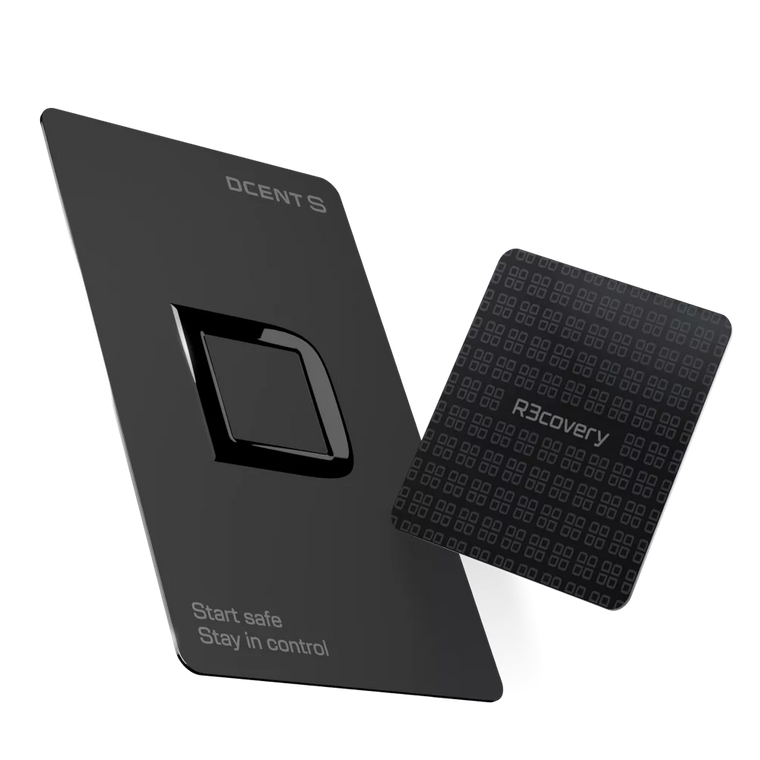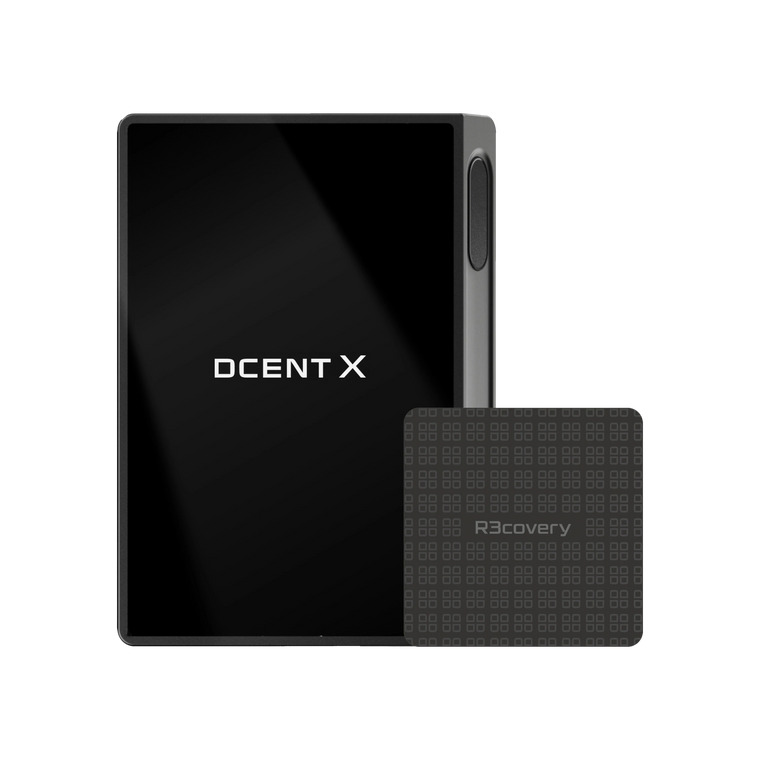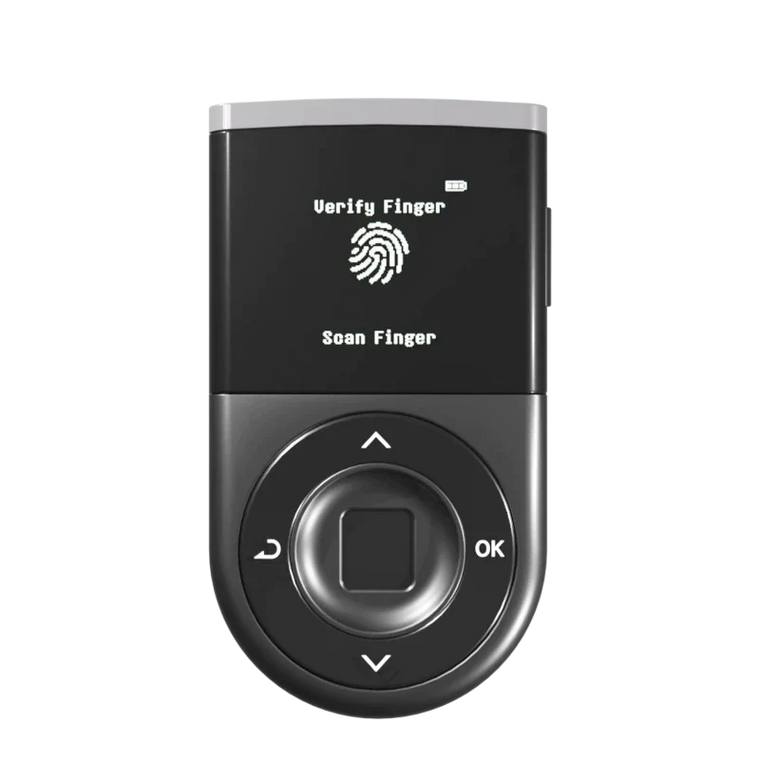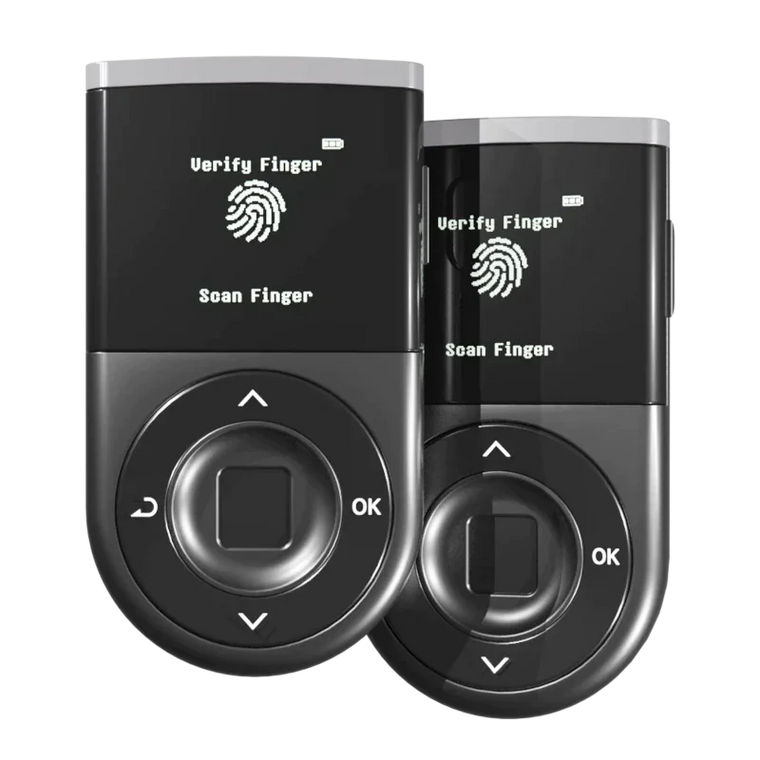




Key Answer: Biometric authentication significantly strengthens crypto wallet security when fingerprint data is stored inside a certified secure element (a tamper-resistant chip), not on a connected device or cloud server. However, biometric authentication alone cannot prevent all threats — users must still verify transactions before signing and protect their recovery phrase offline, as biometrics only control access, not transaction approval.
Key Takeaways
- Fingerprint uniqueness: Biometric sensors achieve a false acceptance rate as low as 0.001%, far more reliable than 4-6 digit PINs
- Hardware-isolated storage: D'CENT stores fingerprint templates encrypted inside an EAL5+ Secure Element (ST33 chip), the same security standard used in passports and banking smartcards — the template never leaves the chip
- Physical presence required: Unlike PINs, fingerprints cannot be phished remotely, shared accidentally, or observed in public (shoulder surfing)
- Not a silver bullet: Biometric authentication prevents unauthorized access, but it cannot stop you from signing malicious transactions or protect against recovery phrase theft
- Industry shift: 34% of crypto wallets adopted biometric authentication options in 2025, reflecting growing demand for frictionless security
Why Are PINs No Longer Enough for Crypto Security?
Traditional PIN-based authentication has fundamental weaknesses that become critical vulnerabilities in crypto wallet security.
Four key problems with PIN-only wallets:
- Shoulder surfing: PINs can be observed in public spaces — coffee shops, airports, coworking spaces. Once seen, your wallet is vulnerable.
- Brute-force attacks: A 4-digit PIN has only 10,000 possible combinations. A 6-digit PIN has 1 million. Attackers with physical device access can attempt systematic guessing.
- PIN reuse: Many users reuse the same PIN across multiple devices and accounts, creating a single point of failure.
- Forgotten PINs: Users who forget their PIN face lockout scenarios, requiring complex recovery processes that may expose the recovery phrase.
As biometric technology matures, a growing number of users and security researchers recognize fingerprint authentication as a stronger alternative to PINs for device access control. The shift is especially relevant for crypto wallets, where a compromised PIN can lead directly to asset loss.
The fundamental issue: PINs are knowledge-based secrets that can be shared, stolen, or forgotten. Biometrics are identity-based secrets tied to your physical presence.

What Makes Biometric Authentication Secure for Crypto?
Biometric authentication shifts the security model from "something you know" (PIN) to "something you are" (fingerprint), combined with "something you have" (the hardware wallet itself).

Four security advantages of fingerprint authentication:
1. Uniqueness
Fingerprint patterns are mathematically unique. Modern biometric sensors achieve a false acceptance rate (FAR) of 0.001% — meaning the chance of an unauthorized fingerprint being accepted is 1 in 100,000 attempts. Compare this to a 6-digit PIN (1 in 1,000,000) which can be systematically brute-forced, while biometric systems lock out after failed attempts.
2. Hardware-isolated storage
The critical difference between secure and insecure biometric systems is where the fingerprint template is stored.
- Insecure approach: Storing fingerprint data in device memory, cloud servers, or app databases (vulnerable to extraction)
- Secure approach: Storing encrypted fingerprint templates inside a certified Secure Element chip that never exposes the data outside
As STMicroelectronics' official documentation confirms, the ST33 chip family is designed for secure identity applications including ePassports, banking smartcards, and embedded secure elements. D'CENT uses the ST33 Secure Element — the same chip family used in passport microchips and banking smartcards. The fingerprint template is encrypted and locked inside the chip during device setup. No software, firmware update, or external command can extract this template. The comparison happens inside the chip — your finger touches the sensor, the template is verified internally, and only a "yes/no" authentication result exits the chip.
3. Physical presence requirement
Unlike PINs (which can be sent via text, email, or observed), fingerprints require your physical body to be present at the device. This eliminates entire categories of remote attacks:
- Phishing sites cannot ask for your fingerprint
- Attackers cannot trick you into "entering your fingerprint on this website"
- Malware cannot remotely extract your biometric data if it never leaves the chip
4. Two-factor fusion
Biometric wallets effectively combine two authentication factors into one action:
- Something you have: The hardware wallet device
- Something you are: Your unique fingerprint
This fusion creates a higher security baseline than PIN-only systems, which only verify "something you know." By combining two authentication factors into a single action, biometric wallets raise the baseline security level compared to PIN-only devices — reducing the attack surface for unauthorized physical access.
How D'CENT's Fingerprint Authentication Works
D'CENT Biometric Wallet uses a three-layer security architecture that makes fingerprint authentication both fast and secure.

Layer 1: Secure Element (EAL5+ Certified)
At the core is the ST33 Secure Element, a tamper-resistant chip certified at Common Criteria EAL5+ — the highest security level achievable in commercial products. This is the same chip technology used in:
- ePassport microchips (storing biometric data for border control)
- Banking smartcards (protecting payment credentials)
- Government ID systems (securing national identity databases)
According to the Common Criteria Portal, EAL5+ represents a high level of independently assured security through formal design verification. Here's what that means in practice:
- Formally verified security architecture (mathematically proven protection models)
- Resistance to physical tampering (chip self-destructs if invasive probing is detected)
- Protection against side-channel attacks (voltage glitching, electromagnetic analysis)
- No extraction of keys or templates, even with direct hardware access
Your private keys and fingerprint template reside inside this vault. They never leave. All cryptographic operations (signing transactions, verifying fingerprints) happen inside the chip — results exit, secrets don't.
Layer 2: Hardware-Isolated Fingerprint Storage
When you set up D'CENT's fingerprint authentication:
- You place your finger on the sensor multiple times to capture your fingerprint pattern
- The sensor creates a mathematical template (not an image) of your fingerprint's unique characteristics
- This template is encrypted and stored inside the ST33 Secure Element only
- The template never appears in device RAM, firmware storage, or mobile app memory
What this prevents:
- Malware extracting your fingerprint data
- Firmware updates accessing biometric templates
- Physical chip extraction revealing usable fingerprint information (templates are encrypted with chip-specific keys)
Layer 3: 0.5-Second Authentication
When you authenticate:
- Touch the sensor
- The sensor captures a live fingerprint scan
- The scan is sent directly to the Secure Element (bypassing external memory)
- The chip compares the live scan against the stored encrypted template internally
- Authentication result (pass/fail) is returned in 0.5 seconds
- After 3 failed attempts, the device locks temporarily (anti-brute force)
PIN backup available: If your fingerprint sensor is damaged or fails, you can still access the wallet using a PIN backup code set during initial setup. This ensures you're never locked out due to hardware failure.
Combined with WYSIWYS (What You See Is What You Sign)
Biometric authentication unlocks the device. Transaction verification uses a separate security layer:
- Every transaction's recipient address, amount, and network is displayed in full on the device screen
- No blind signing (you never approve a transaction based on hash values alone)
- Your visual confirmation is the final security check before signing
This two-step model (biometric unlock + visual verification) ensures that even if you authenticate successfully, you still review exactly what you're signing before committing funds.
Industry context: The global biometric authentication market has experienced significant year-over-year growth, driven by demand from financial services and digital asset custody providers — signaling institutional confidence in this authentication method's long-term viability.
What Biometric Wallets Can and Cannot Do
Biometric authentication is a powerful security layer, but understanding its limitations prevents false security assumptions.

✅ What biometric wallets CAN do:
- Prevent unauthorized physical access: If someone steals your device, they cannot unlock it without your fingerprint
- Eliminate PIN observation risk: No one can "shoulder surf" your biometric data in public
- Provide fast authentication: 0.5-second unlock vs. typing 6-12 digit PINs
- Store biometric data offline: Fingerprint templates never touch the internet or cloud servers
- Resist brute-force attempts: Hardware-level lockout after failed authentication attempts
- Combine security and convenience: High security without memorizing complex passwords
❌ What biometric wallets CANNOT do:
- Prevent signing malicious transactions: If you authenticate and approve a scam transaction, biometric security doesn't stop the loss
- Protect against recovery phrase theft: If someone gains access to your 24-word recovery phrase, they can restore your wallet on another device (bypassing biometric authentication entirely)
- Guarantee 100% security: No security system is absolute — biometrics reduce risk, they don't eliminate it
- Verify transaction legitimacy: Biometrics unlock the device; you must still verify addresses, amounts, and contract interactions before signing
- Prevent social engineering attacks: If you're tricked into willingly authenticating and signing a malicious transaction, biometric security is bypassed by design
Critical reminder: Biometric authentication significantly reduces the risk of unauthorized access, but it cannot prevent all threats. If a user signs a malicious transaction or fails to secure their recovery phrase, losses can still occur.
Common Mistakes with Biometric Wallets
Even with strong biometric security, user errors can create vulnerabilities.

❌ Mistake 1: Thinking biometrics alone make you invulnerable
Why this is dangerous: Biometric authentication only controls access to the device. It does not validate whether a transaction is legitimate. If you authenticate and sign a transaction sending funds to a scammer's address, biometric security has no mechanism to stop you.
Correct approach: Always verify recipient addresses, transaction amounts, and smart contract interactions on the device screen before signing — even after successful biometric authentication.
❌ Mistake 2: Neglecting recovery phrase backup
Why this is dangerous: Some users assume "my fingerprint is my key" and neglect to properly back up their 24-word recovery phrase. If the device is lost, damaged, or the fingerprint sensor fails, you cannot recover your funds without the recovery phrase.
Correct approach: Biometric authentication is a convenience and security layer for unlocking the device. The recovery phrase is the master key to your funds. Back it up offline (written on paper, stored in a fireproof safe) immediately after wallet setup.
❌ Mistake 3: Buying second-hand biometric wallets
Why this is dangerous: Pre-owned biometric wallets may have been tampered with — malicious firmware, pre-registered fingerprints, or compromised Secure Elements. Even if you "reset" the device, you cannot verify the chip's integrity without specialized equipment.
Correct approach: Always buy hardware wallets from official manufacturers or authorized resellers. Never purchase second-hand biometric wallets, even at steep discounts.
❌ Mistake 4: Ignoring firmware updates
Why this is dangerous: Firmware updates often patch critical security vulnerabilities. Delaying updates leaves your device exposed to known exploits, even if your biometric authentication is secure.
Correct approach: Enable automatic firmware update notifications and apply security patches immediately. D'CENT firmware updates preserve your wallet data — no recovery phrase re-entry required.
Biometric Wallet Security Checklist
Use this checklist to maintain secure biometric wallet practices:

- ☐ Verify device authenticity: Buy only from official D'CENT store or authorized resellers — never second-hand
- ☐ Back up recovery phrase offline: Write your 24-word phrase on paper and store in a fireproof, waterproof safe — never digitally
- ☐ Register primary fingerprint: Set up your main fingerprint during initial device setup in a private location
- ☐ Set PIN backup code: Configure a strong PIN (8+ digits) as fallback authentication in case fingerprint sensor fails
- ☐ Apply firmware updates immediately: Enable update notifications and install security patches as soon as available
- ☐ Verify transactions on device screen: Always check recipient address, amount, and network on the device display before signing
- ☐ Review token approvals monthly: Check and revoke unnecessary smart contract approvals using tools like Revoke.cash
- ☐ Test recovery process: Practice wallet recovery with a small test amount before storing significant funds
- ☐ Inspect device for tampering: Check for physical damage, seal integrity, and unusual behavior before each use
- ☐ Enable Blockaid scam detection: Activate real-time threat scanning (if available) for pre-transaction warnings
Frequently Asked Questions
Can someone clone my fingerprint to unlock my wallet?
No, not practically. D'CENT stores an encrypted mathematical template of your fingerprint inside the EAL5+ Secure Element — not a photograph or image. Even if someone created a replica of your fingerprint (which requires sophisticated equipment and direct access to your finger), the sensor includes liveness detection to distinguish real skin from fake materials. The false acceptance rate is 0.001%, and the chip locks after 3 failed attempts.
What happens if I lose my finger or my fingerprint changes?
D'CENT supports both fingerprint authentication and a backup PIN code. If your fingerprint becomes unusable (injury, sensor damage), you can unlock the wallet using your PIN. The recovery phrase remains the ultimate master key — if both fingerprint and PIN fail, you can restore your wallet on a new device using the 24-word recovery phrase.
Is my fingerprint data stored in the cloud or mobile app?
No. Your fingerprint template is encrypted and stored only inside the ST33 Secure Element chip on the device. It never appears in device memory, firmware storage, mobile app databases, or cloud servers. The comparison between your live fingerprint and the stored template happens entirely inside the chip — only an authentication result (yes/no) exits the chip.
Can biometric wallets protect against phishing attacks?
Partially. Biometric authentication prevents remote attackers from gaining unauthorized access (they would need your physical fingerprint). However, if you are tricked into authenticating and signing a malicious transaction yourself (e.g., approving a scam smart contract), biometric security does not stop you. Always verify transaction details on the device screen before signing.
How does biometric authentication compare to PIN security?
Biometrics offer stronger protection against observation attacks (shoulder surfing), brute-force attempts (PINs can be guessed systematically, fingerprints cannot), and remote phishing (fingerprints require physical presence). However, both methods require users to verify transactions before signing. Biometric authentication is more convenient (0.5 seconds vs. typing 6-12 digits) and more secure for unlocking, but does not eliminate the need for careful transaction verification.
What if the fingerprint sensor breaks?
D'CENT devices include a PIN backup authentication method. If the fingerprint sensor is damaged, you can still unlock the wallet using your PIN code. For complete device failure, you can restore your wallet on a new device using your 24-word recovery phrase — all funds and accounts are recovered, but you will need to re-register your fingerprint on the new device.
Are biometric wallets safe for large crypto holdings?
Biometric wallets significantly reduce the risk of unauthorized access compared to PIN-only devices. However, large holdings require defense in depth: biometric authentication (access control) + recovery phrase offline backup (disaster recovery) + transaction verification on device screen (signing control) + regular approval audits (smart contract hygiene). No single security feature guarantees absolute safety — layered security practices are essential for protecting significant funds.
Can governments or hackers extract my fingerprint from the device?
Not from D'CENT's EAL5+ Secure Element. The ST33 chip is designed to resist invasive attacks — it self-destructs if physical tampering is detected (voltage glitching, chip decapping). Fingerprint templates are encrypted with chip-specific keys that cannot be extracted even with electron microscopy. This is the same tamper-resistant technology used to protect national security infrastructure (passports, government IDs). The chip has passed Common Criteria EAL5+ formal verification, meaning its security claims are mathematically proven, not just marketing statements.
Conclusion
Biometric authentication is not a marketing gimmick — it's a mathematically verifiable security upgrade over PIN-only systems when implemented correctly. D'CENT's approach stores fingerprint templates inside an EAL5+ Secure Element, ensuring your biometric data never leaves the chip and cannot be extracted by malware, firmware exploits, or physical attacks.
However, biometric security is only one layer in a comprehensive crypto security model. It controls who can unlock your device, not what transactions you approve. You still must:
- Verify every transaction on the device screen before signing
- Back up your recovery phrase offline in a secure location
- Review and revoke unnecessary smart contract approvals regularly
- Apply firmware security updates immediately
Biometric authentication removes friction (no memorizing PINs) while strengthening baseline security (no shoulder surfing, no remote phishing). But the final responsibility for transaction verification remains with you.
Start with secure setup: Choose a biometric wallet from a verified manufacturer, back up your recovery phrase offline, and practice transaction verification habits from day one. Security is not a single feature — it's a system of layered protections and disciplined practices.