






Key Answer — This update skips the flashy features and removes the everyday friction instead: the app now remembers your backups for you, and your receive address renews itself. What it doesn't change is anything about signing or security — these are quality-of-life improvements on top of the same hardware model.
- The app remembers your backup — see when you last backed up, get a reminder after 30 days, and verify your backup without restoring it.
- A fresh receive address, automatically — HD multi-address rotation for Bitcoin-family coins.
- A dozen small fixes — a wallet switcher, a live price bar, scroll that stays put, and dropped transactions finally labeled.
Everything ships in the latest mobile app.
"When did I last back up… ?"
The longer you use a wallet, the harder that question gets. You've added accounts, filled your address book, changed settings — and your backup is still months old. We covered keeping your seed phrase safe in Crypto Class 2 — Those 24 Words: Are They Really Safe?, but app data backup is a separate chore. The problem is that you usually find out your backup is stale after something goes wrong.
Receive addresses are similar. Reusing one address is convenient — but it also means your entire transaction history hangs off that single address for anyone to see.
This update makes the app take over these "I know, but it's a hassle" chores. (June's update took over a different one: flagging scam addresses before you send.)
Your Backups, Remembered by the App
The wallet management screen now tells you much more about your backups.
Last backup time
see at a glance when you last backed up.
A 30-day reminder
once 30 days pass, the wallet management screen nudges you so newly added accounts and settings make it into your backup.
Verify backup
check that your backup can actually be restored, without running a restore. No more "I thought I had a backup" moments.
When a restore fails, you learn why
clear reasons and next steps instead of a vague error code.
A Fresh Address Every Time You Receive — and How to Turn It On
Bitcoin-family accounts now support HD multi-address rotation. "HD" stands for hierarchical deterministic — the BIP32 standard that lets one seed derive an unlimited run of addresses. Turn it on, and the receive screen prepares a fresh, unused address every time. Used addresses step back; a new one steps up.
 Real D'CENT app — with rotation on, the receive screen always shows a fresh, unused address.
Why does it matter? Every transaction on a public blockchain is visible, and Bitcoin.org's own privacy guidance names address reuse as the habit that undoes it. Keep using one address and your entire in-and-out history links together under it. Rotate, and that link breaks.
We unpack the privacy side properly — how rotation works, what it does and doesn't hide — in HD Multi-Address: A Simple Way to Improve Bitcoin Privacy. The rest of this section is the practical part: switching it on.
 On a public blockchain, every transaction is visible — unless your address changes, every time.
Go to Settings → Lab.
Switch on 'Use HD Wallet multi-address' and read the confirmation popup.
Add the Bitcoin-family account you want rotation on — it applies to accounts added after the toggle.
Open Receive. A fresh, unused address is waiting, every time.
Prefer the old way? Leave the toggle off and keep a fixed address. And assets received at previous addresses still count toward your balance — a rotating address never means lost funds.
To sum up:
 While rotation is on: always a fresh receiving address · new receives move to the next address · all addresses still belong to the same wallet · applies to Bitcoin-family coins.
Small, but You'll Feel Them Every Day
'Switch to this wallet'
change wallets right from the wallet menu.
Live price bar
real-time price now always visible at the bottom of the account detail screen.
Scroll stays put
switch between main tabs and come back to exactly where you were.
Dropped transactions, labeled
transfers that fell out of the network queue are detected and marked 'Dropped' instead of spinning as 'Pending' forever.
Accurate swap history
swaps waiting for an exchange deposit no longer show as 'Sent'.
Signing guidance
special signing screens like trustlines now show that a device signature is required.
A Stale Backup Is the One Thing Hardware Can't Save
A hardware wallet protects your keys. It can't protect a backup that stopped months ago. Backup reminders and pre-checks turn "found out after losing it" into "caught it before losing it." In self-custody, the loss that actually happens is almost never a hack — it's a backup nobody kept current.
And small improvements like these keep coming — one-tap cleanup and readable transaction times (May), and now backup reminders. Same direction every time: fewer things for you to keep in mind.
FAQ
What is an HD wallet, and what does "multi-address" mean?
HD stands for hierarchical deterministic. One recovery phrase mathematically derives an unlimited sequence of addresses, all belonging to the same wallet — the BIP32 standard behind nearly every modern crypto wallet. Multi-address simply means D'CENT hands you the next unused one each time you receive, instead of reusing the first.
How often should I back up?
Any time you add an account, edit your address book, or change settings — those are the changes a stale backup loses. If you'd rather not track it yourself, that's what the 30-day reminder is for. Note this is your app data backup; your recovery phrase itself never changes.
Will another wallet show the same addresses if I restore there?
For standard Bitcoin-family derivation paths, yes — HD derivation is a shared standard, not a D'CENT-specific format. Your funds are not locked to this app.
Does rotation apply to accounts I already have?
No. Multi-address applies to accounts added after you turn the toggle on. To apply it to an existing account, hide the account and add it again — the confirmation popup explains this when you enable the toggle.
Can I still use my old addresses?
Yes. Funds received at previous addresses stay in your balance, and payments sent to them still arrive.
Which coins support multi-address?
Bitcoin-family chains.
Does 'Verify backup' change my wallet?
No. It only checks that your backup is valid — no restore is performed.
Does any of this affect security or signing?
No. These are display and management improvements. Signing, recovery, and the secure element work exactly as before.
How to Get It
Update to the latest version on the App Store or Google Play. Check your backup status on the wallet management screen, and find HD multi-address under Settings → Lab.
This wraps the June–July release notes. The rest of the series: spam & phishing address detection and NFTs, DeFi and custom networks.
The app does the remembering. You make the decisions.
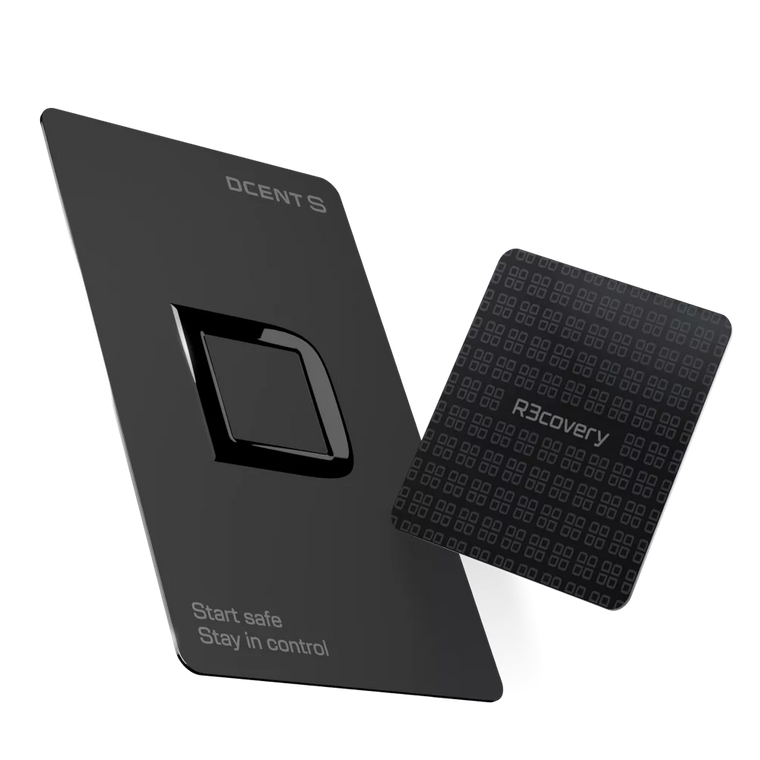
DCENT S · Card-type cold wallet
Carry it daily, Recover it always
Seedless setup · R3covery backup card included · 100+ networks · 4,900+ assets
Meet DCENT S →Keep it safe. Use it freely. What is DCENT S?