In this latest update, we have great news for the collectors, traders, and artists from theKlaytncommunity. Along with the Ethereum network that is already supported by the Collectibles Tab, we are excited to provide additional network support for the Klaytn network. This means that users can not only manage (Receive, Showcase, and Send) NFTs based on Ethereum, but also for the NFTs based on the Klaytn network.
We’d like to briefly mention and give a special thank you toCovalent, which provides a unified API to bring full transparency and visibility to assets across all blockchain networks. Klaytn-based NFT information displayed from the D’CENT Wallet’s Collectibles Tab is retrieved via Covalent.
Managing Klaytn-based NFTs
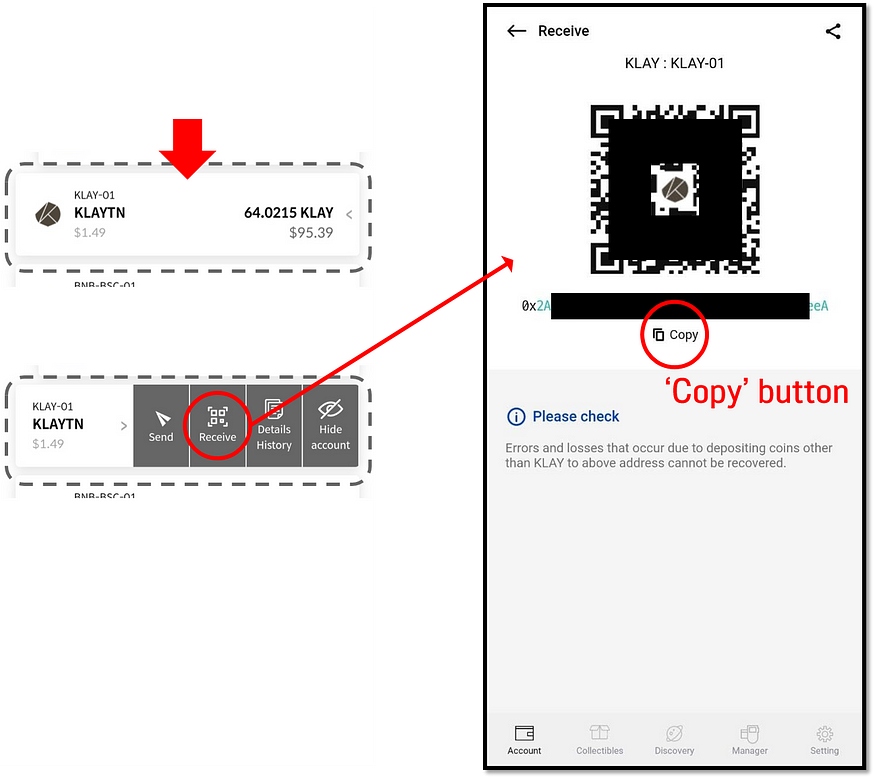
How to Receive NFTs
Click on your Klaytn account to find the ‘Receive’ option. Use the QR code or click on the ‘Copy’ button to copy the address.
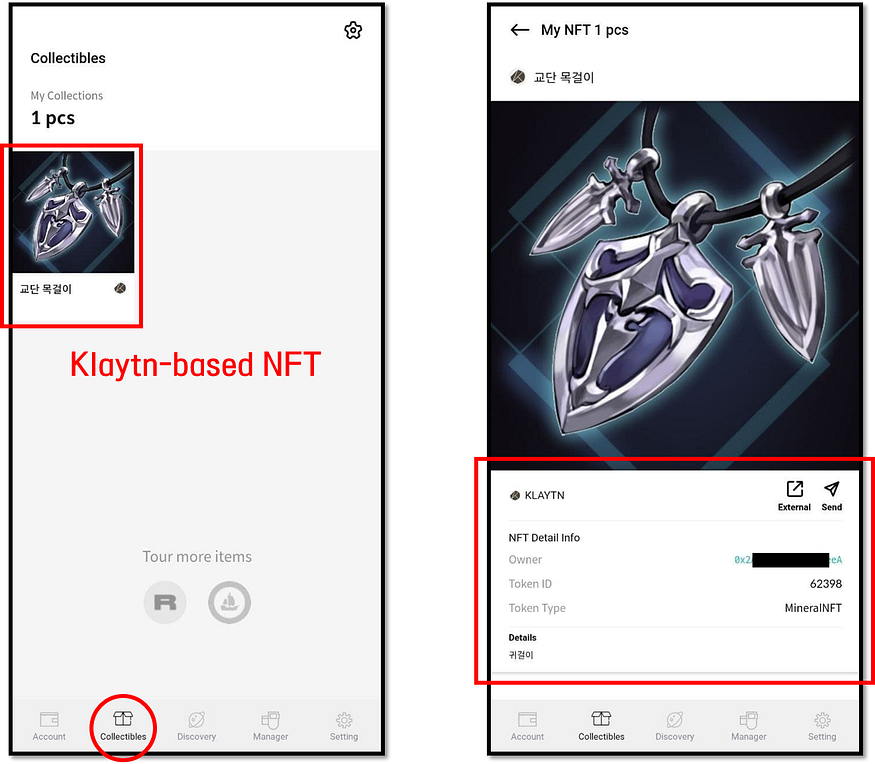
How to View NFTs
Once you’ve receive an NFT token to your address, it can be checked from the ‘Collectibles’ Tab. Click on an NFT collection for detailed information.
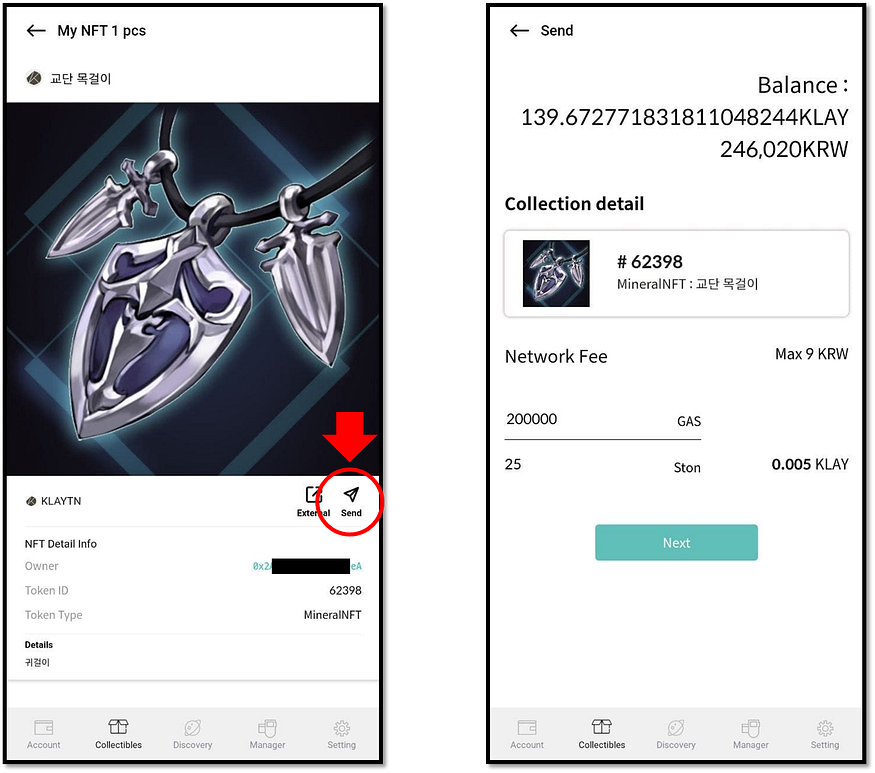
How to Send an NFT to another address
To transfer an NFT collection to another address, go to the detailed view of the collection and click on the ‘Send’ button. Set the network fee, enter the recipient address and confirm to authorize the send transfer.
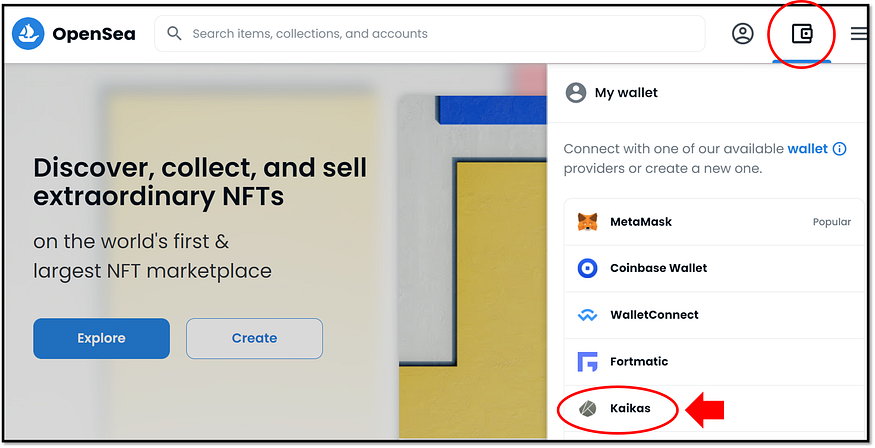
Connecting to OpenSea for Klaytn-based NFTs
Currently, theOpenSea marketplaceonly supports the accessibility to the Klaytn network from the computer environment. In the meanwhile, Biometric hardware wallet users can connect with the Kaikas wallet extension on the computer’s chrome browser to access Klaytn-based NFTs from the OpenSea marketplace.
Instructions on using Kaikas wallet extension with the Biometric hardware wallet can be found from theuser guide below.
Get practical crypto security insights, product updates, and actionable tips — straight to your inbox.
By clicking Subscribe, you agree that IoTrust Co., Ltd. may use your email address only to send you the DCENT newsletter. You can unsubscribe anytime using the link in our emails. To learn how we handle your data, see our Privacy Policy.