



Hello D’CENT Fam!👋
We are excited to announce Non-Fungible Tokens (NFTs) existing on the Songbird network are now supported by the Collectibles(NFT) tab in D’CENT App. D’CENT Wallet users can now manage NFTs to Receive, Send, and Showcase their valuable NFT assets directly within the wallet app.
NOTE: iOS users can access the Collectibles tab by entering the site URL from the built-in Dapp browser(Discovery tab) of the D’CENT App.
⭐Collectibles tab URL: https://collectibles.dcentwallet.com⭐
Where can I get NFTs on the Songbird network?
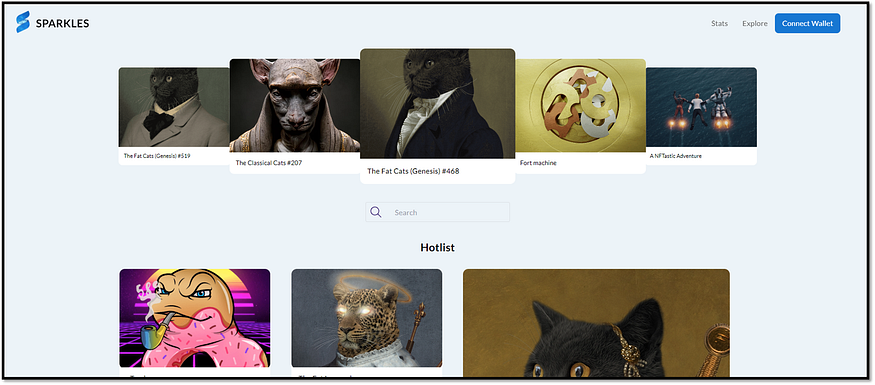
NFTs on the Songbird and Flare network can be purchased from the Sparkles NFT marketplace, a trustless and safe environment for users to list, buy, sell and transfer NFTs. Sparkles has recently launched v2.0 of the marketplace with greatly improved features which have been implemented based on the feedback from the Songbird community to deliver the best possible NFT experience.
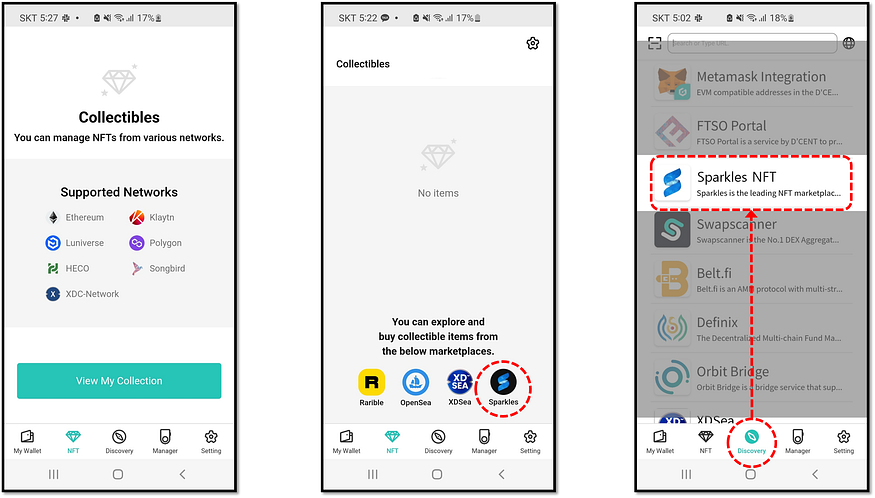
You can find a direct link to Sparkles NFT marketplace listed in the NFT tab or the Discovery tab of the D’CENT App for quick access to the service site. Selecting Sparkles NFT marketplace from the list will automatically set the network to use as the Songbird network.
Managing NFTs on D’CENT Wallet
How to Receive NFTs
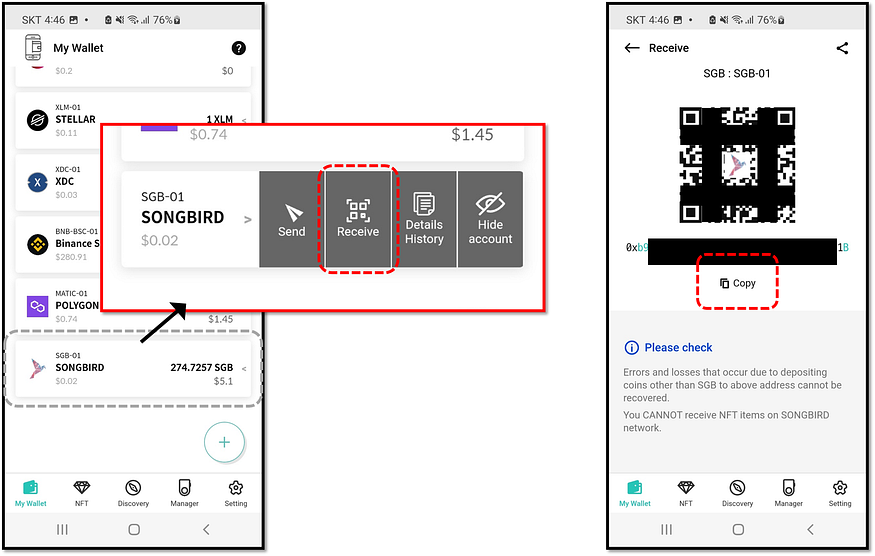
Click on your Songbird account and click the ‘Receive’ option. Use the QR code or click on the ‘Copy’ button. From the Sparkles NFT marketplace, transfer NFTs to your Songbird address in D’CENT Wallet.
How to View NFTs
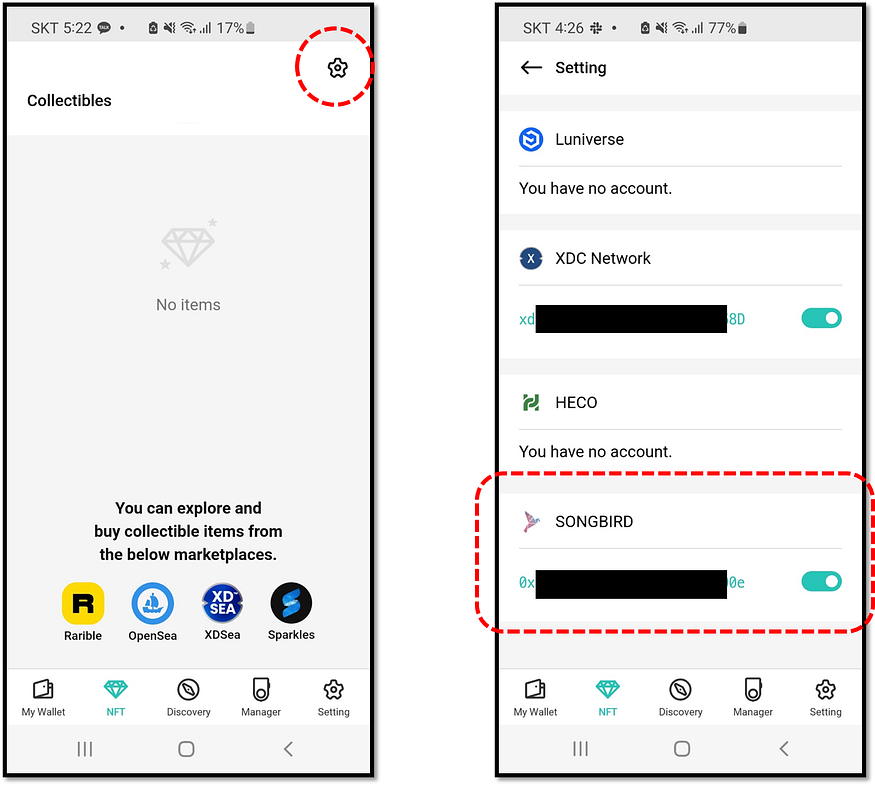
When you receive NFT tokens at your address, they appear in the ‘Collectibles’(NFT) tab. You can also enable or disable the view of NFTs from the setting.
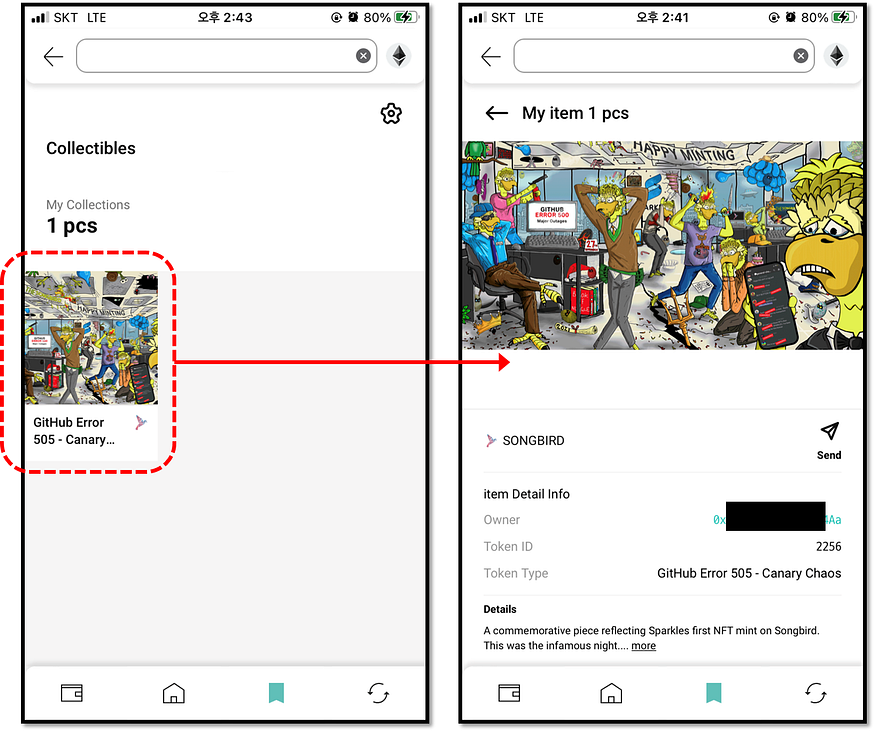
To get a detailed view and information about your collection, click on an NFT item.
How to Send an NFT to another address
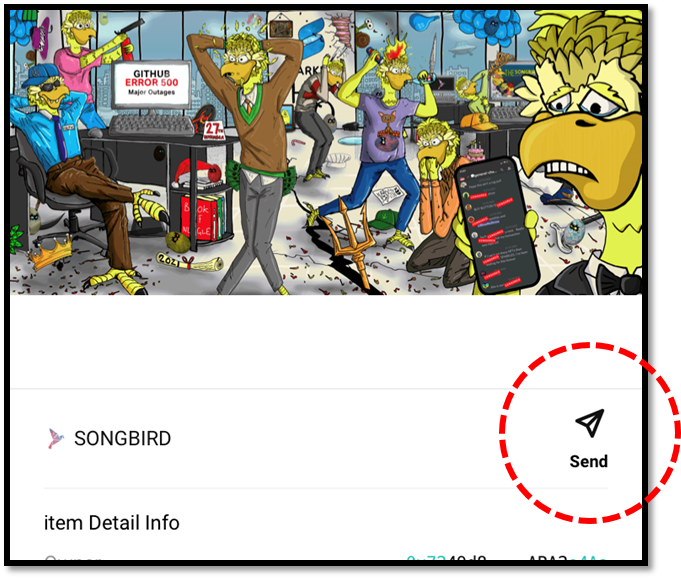
To transfer an NFT collection to another address, go to the detailed view of the collection and click on the ‘Send’ button. Enter the recipient address, set the transaction fee, and confirm to authorize the send transfer.